





Cloneable tags
Description
The Assemble Image on Hover Webflow cloneable is a dynamic interaction that allows you to display an image on hover. This is accomplished using Webflow interactions and adds a unique, animated effect to your site. This cloneable is easy to implement and can be added to your Webflow site to add an extra level of engagement for your users. The Assemble Image on Hover cloneable is a great way to add a dynamic hover interaction to your images and is perfect for any site looking to add a bit of flair to their images.
Related cloneables



A fun way of adding a water mouse hover ripple effect to your Webflow site. Simply add a tiny code and the javascript library and you're all set.


A fun way of changing the gradient background color via mouse in Webflow. Please note this will not work in Firefox. This is a native Webflow interaction and just a single line of CSS code. The CSS controls the pointer events to none while the interactions control the location of the blur and it's surrounding effects.


A huge selection of premade Webflow animations, including animated buttons, click buttons, circular hover buttons, scroll down animations, nav link animations, tab animations, search bars, social media buttons, text animations, contact cards, blog cards, product cards and more.


A unique stacking cards on scroll interaction in Webflow. When you scroll down the page the cards on the right side stack on top of each other. A unique interaction perfect for a SaaS or technology site. The stacking cards effect was built entirely using Webflow interactions and does not require any additional code or scripts. The effect is created by using the While scrolling into view trigger, with the use of Scale and Filter. The filter applied reduces the overall brightness of the card and the scaling is used to send the item back smaller. Overall a well designed and thought out solution for a stacking card interaction.


An animated timeline scrolling effect perfect for about pages, historical pages and many others. As the user scrolls down the page a fun native interaction is applied that allows users to visit historical timelines with a unique Webflow interaction. The current date and item that is in view increases brightness while others out of view are faded out. The user can scroll down the page and have historical information provided in a unique and interactive fashion. This interaction uses while scrolling in view and while page is scrolling page trigger interactions.


Add a progress bar to your draggable CMS slider sections in Webflow. Typically most draggable, or third party sliders, don't offer a progress bar indicator. Using the power of Dragdealer.js you can now add a progress bar and draggable CMS slider to your Webflow site. Please note that you'll need to add the global styles HTML embed as well as the custom script found in the closing body tag within the Page settings for this to work properly.


Here's a demonstration of using three.js for the background of your Webflow site.
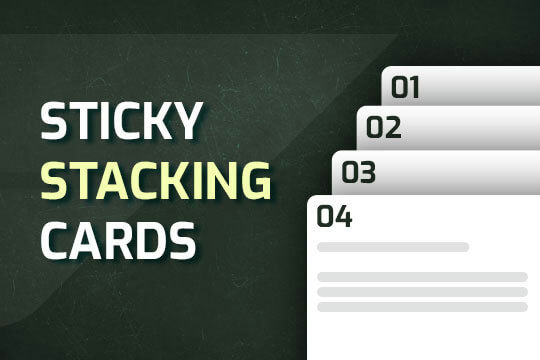

A way of utilizing sticky cards that stack on scroll in Webflow. Using position sticky and a scrolling into view interaction allows for this effect without any custom code.

More from author
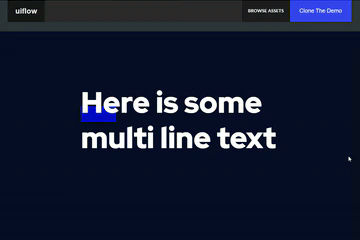
Here's a way to add a dropped in text underline on hover in Webflow. When you hover over the multiple lines of text an underline interaction is triggered and the underline appears over the text.
Pop up contact form modal interaction for Webflow. A clean modal window appears with a contact form when clicking on the contact button. This contact modal form features all the native Webflow interactions required for a modal window in a fully responsive design.
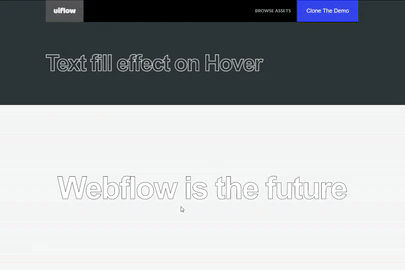
A text fill on hover effect for Webflow. When you hover over text on your Webflow site it fills the text with an animation effect.

Here's a way to create a zoom in on click technique in Webflow. If you need to magnify an image on your Webflow site this cloneable is perfect for you.

Here's a unique way of showing images, app screenshots or more in an iPhone mobile slider. The images continuously rotate through and infinite loop.

Here's a text stroke interaction based on the mouse movement for Webflow. Upon moving the mouse around the text stroke follows the cursor around the Webflow site.

Here's a way to add a image splitting interaction on hover in Webflow. Using a grid and clip path to make this interaction happen. With this example when someone hovers on an image, the image opens in half and a text description is shown.