


The Top 89 CMS Webflow cloneables
CMS Webflow Cloneables that utilize Webflow's native CMS collections and unleash a new world of potential.



A beautiful Swiper.js overlapping cards slider built for Webflow. This Swiper.js slider is perfect for a hero section or features section of a site. When a user navigates between slides the top card is removed and the next card in line comes into view. The cards are stacked with various offsets so it looks like playing cards. There are text transitions for each text associated with the slide. This slider was created using Swiper.js and utilizes Webflow's native CMS collections. This allows you to dynamically generate slides based on the collection list items. This requires custom code so be sure to look at the pages custom code for the Swiper.js code. You can modify the Swiper.js code to include grabcursor, looping, and utilizing arrows to navigate between slides.

Add a progress bar to your draggable CMS slider sections in Webflow. Typically most draggable, or third party sliders, don't offer a progress bar indicator. Using the power of Dragdealer.js you can now add a progress bar and draggable CMS slider to your Webflow site. Please note that you'll need to add the global styles HTML embed as well as the custom script found in the closing body tag within the Page settings for this to work properly.

A complete Splide.js CMS slider solution for Webflow. Splide.js offers a great solution over Webflow's native slider solution. Lightweight and mobile friendly this slider offers four different designs and implementations, including a Webflow CMS slider solution using Splide.js. This technique does require custom code that you'll find within the page settings, custom code area. Using this solution you can update the number of items per page, the number of items changed per slide, infinite looping, pagination, speed, drag threshold and much more.

Learn how to implement GSAP ScrollTrigger in Webflow. This tutorial and example cloneable showcases several different Scrolltrigger GSAP effects to turn your Webflow site into a dynamic powerhouse. When loading the page you are presented with a primary image and brand name. As you scroll down the brand moves from the bottom of the page to the top menu while reducing size. Further down the hero section appears and one of the words begins to move behind other text. Further down an image appears and then grows as you scroll further down the page. This shifts into the product section in which images appear with a parralax effect over certain words. This shifts into another product section and the backgrounds transition while the images still float above the text. Each section has a different background color/text color with the images continually scrolling above the text. This utilizes a lot of custom code, and utilizes Webflow's native CMS for products and items found on this page with CSS nth-child. You will need to add the custom code found in Page Settings to get this to work properly. Watch my GSAP Scrolltrigger tutorial for this project at https://www.youtube.com/watch?v=x-BVEhyYW50 Conceptual design for https://www.minimalgoods.co/
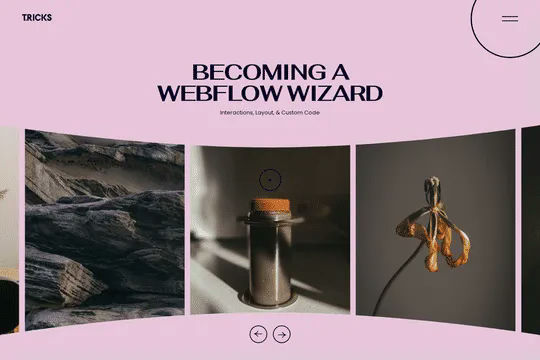
A 3D Splide.js CMS draggable slider for Webflow. This 3D draggable slider created with Splide.js allows you to integrate Webflow's native CMS solution with Splide.js to create a dynamic and interactive slider with Webflow. The slider features navigation arrows and the ability to drag between each slide item, perfect for desktop or mobile. There's also a 3D effect with the slides entering and exiting the viewport. The Splide.js slider allows you to customize the number of items per page, per move as well as various break point functionality for mobile responsiveness. You're also able to modify the delay, duration and easing in and out. This example is infinite looping so that there's no beginning or end and the users can navigate endlessly between each individual slide that is powered by Webflow CMS.

Here's a way of adding a full page infinite scrollable and draggable grid in Webflow. This grid is fully draggable in ALL directions, horizontal and vertical as well as in any other direction. A perfect way of adding a unique design for portfolios, photography and much more in Webflow. This can also be used to tie into Webflow's native CMS system.


Explore techniques for implementing unique Webflow CMS sliders via Swiper.js. Flow Ninja built 8 different slider options including a basic slider, a thumbnail slider, infinite loop swiper great for client logos, auto height, pop-up modal sliders, grid sliders, vertical sliders and a number pagination slider. These prebuilt Webflow sliders utilize Swiper.js to operate correctly so it's important to add the code implemented in the head tag and closing body tag found in the Page Settings for this to work properly.

An excellent example of Swiper.js for Webflow CMS items. This example is perfect for a hero section, or any Webflow slider that wants to be upgraded to utilize Swiper.js. This demo includes scroll interactions, in which each card is changed upon scroll up or down on the mouse and also includes next & previous buttons to navigate between slides. Each slide changes the thumbnail previews of each slide, updates the slide active and slides the text of each slide. The thumbnails and text titles allow you to navigate between each slide as well. This script utilizes Webflow CMS, allowing you to utilize Webflow's CMS items in your native Swiper.js slider. Keep in mind that this utilizes Webflow's custom code section and you'll find the relevant code within Webflow's page custom code settings of this Webflow cloneable.
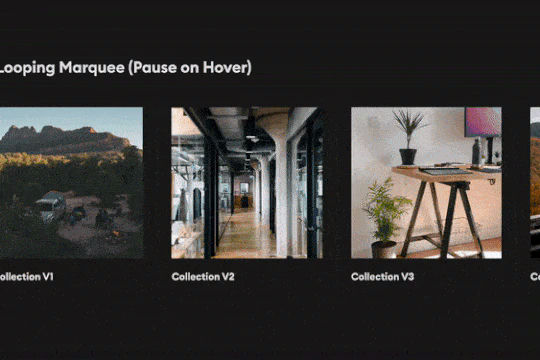
Create a looping infinite CMS Marquee with pause on hover effect. Achieved via custom CSS.
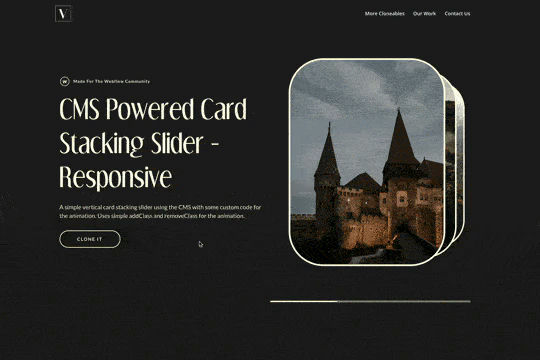

A simple way of adding a CMS driven stacked slider to Webflow using addClass and removeClass jquery code that is fully responsive. This opens up a new way of adding a 3D stacked effect for your native Webflow sliders.
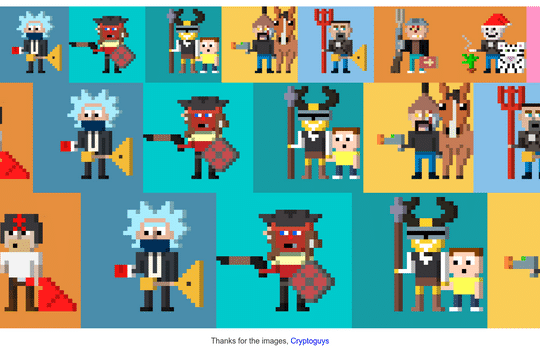

Three different variations of an infinite scrolling marquee driven by completely by Webflow CMS. All you need to do is choose the marquee, use Webflow CMS and you've got an infinite scroll marquee. Three different size variations available in this cloneable. The scrolling marquee is created via CSS, making this easier to implement then Webflow's native interactions, especially when incorporating Webflow's native CMS. You'll find this code within the HTML embed.


Add numbered paginations to your CMS collection lists via this small custom code snippet.


A unique tinder style swiping module for Webflow. This demonstration uses fish and a tinder like design to like, or dislike fish. This was built using Webflow CMS and Jetboost for the like feature.
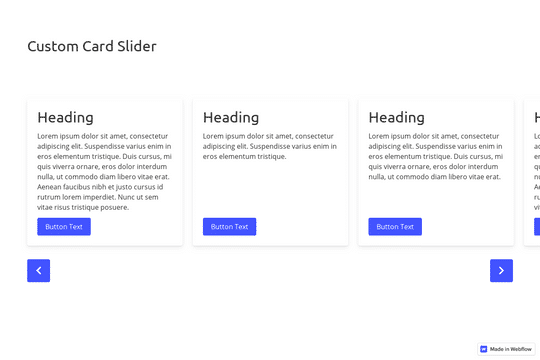

A great example of a CMS slider with custom navigation arrows that are designed within Webflow. It also features a dropdown to filter the slides. This uses the slick slider JS library.


A Webflow slider created with SplideJS tied into Webflow's native CMS system. This slider features a draggable slider with a progress bar. In order to get this to work properly you'll need to add the HTML embed splide code as well as the code found within the page settings.
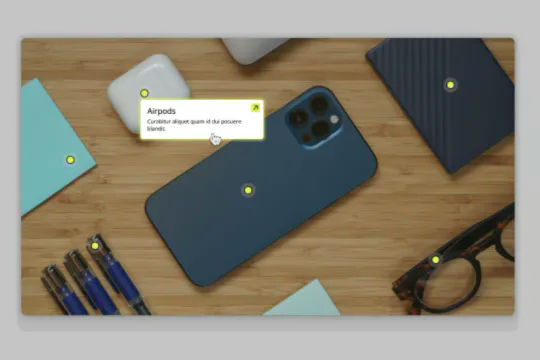
Connect Webflow's native CMS to an image plotter via this cloneable. With this cloneable you can add an image plotter to highlight features, locations, items, product features and much more. The multi-reference highlight items to each main gallery image item using a simple top and left coordinate value to set the specific location of the dots on the image. Each highlight dot also leverages conditional visibility to adjust the position of the tooltip image polotter depending on the location of the dot and whether or not the values were set in CMS.

A unique GSAP velocity based interaction demonstration for Webflow. When a user drags the slider the items react based on the velocity of the drag on the slider. A unique interaction that adds a new dynamic layer to a normally static style draggable slider. Take note that this utilizes GSAP and Observer.js to work properly and you'll find the custom code within the custom code page settings. In this you can update the attributes of the velocity such as the velocity, and CLAMP. You can also adjust the rotation amount, duration and easing used. This is a mobile friendly and desktop friendly slider solution that utilizes the power of GSAP and Observer to work with Webflow's native CMS collection lists.
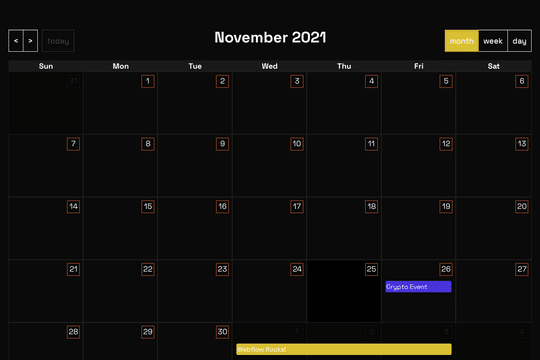

A full page Calendar with week/day/month setting and works with Webflow CMS. This full page calendar design relies on custom stylesheet and JS to work so you'll need to copy both the CSS and JS found in the head and closing body tag of the page settings. Please note that this is primarily driven via CSS and thus Webflow's designer becomes rather useless for the design other than the Webflow CMS elements tied to it.


A unique way of using a CMS to create an interactive responsive map. You can watch the full tutorial here: https://www.youtube.com/watch?v=VqSEvzzLoVQ


Perfect for a services or overview page on a Webflow site. This progress bar indicates where you've scrolled through and which content you're currently viewing. The progress bar was created to scroll to the dynamic CMS collection blocks, typically this is not possible with Webflow since collections can't have anchor links. This was resolved via a nice hack by assigning the ID to the collection classes through an embed and then converting the progress bar links to anchor links so that you can scroll through the various content naturally.
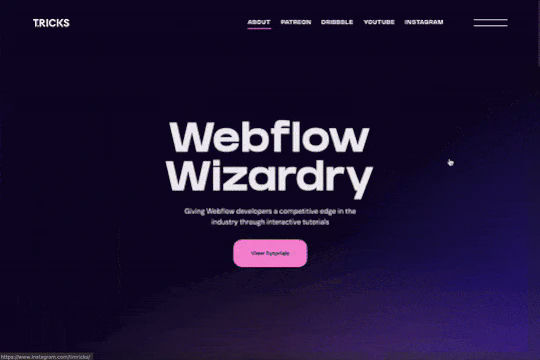
A GSAP CMS horizontal scroll effect that utilizes a combination of Webflow's CMS, Webflow interactions and GSAP to allow for horizontal scrolling. This allows for distance based on the number of cards within each section and if not enough cards are present in the section the section will still appear without having the horizontal scroll effect. Using ScrollTrigger you can customize the number of items viewable upon load and the scroll speed between each slide. This mobile and responsive friendly solution allows you to customize the number of items viewable in each resolution. The individual cards can be powered by Webflow CMS allowing for truly dynamic Webflow sites and designs without a major refactoring of any code in order for it to work.


Here's a way of using Webflow's native CMS system and Webflow lightbox together as natively they don't work well together. This is a tiny and easily-implementable script that combines the best of both world. Create your nested collection with lightboxes, check "link with other lightboxes". Then, replace "collection item" in the script with the class name you decided to give your collection.


Want to add an audio player in your Webflow site? Here's a way of adding a Webflow CMS powered HTML audio player to your Webflow sites. This allows you to add standard browser designs, custom styles and designs via jQuery and much more to your Webflow projects. While Webflow doesn't allow you to host MP3 files natively there are other free external hosting options, such as Dropbox, that will allow it.

A unique way of adding a CMS driven draggable slider to Webflow with background videos playing on hover.


Here's a way to add TikTok videos in a slider with Finsweet client first naming conventions driven by Webflow native CMS. Adding videos could be automated with Make/Integromat or Zapier with the creation of new items in the slider from this collection. This uses the CMS to drive the videos and uses Client-first CSS classes.

A scroll into view CMS driven portfolio or features interaction. Also has hover over effect.
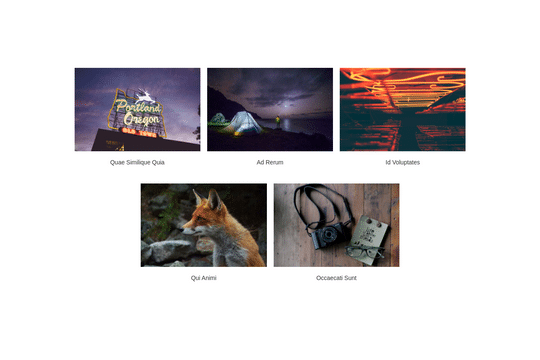

Here's a way of creating structured CMS pop up modal for your CMS items in Webflow.
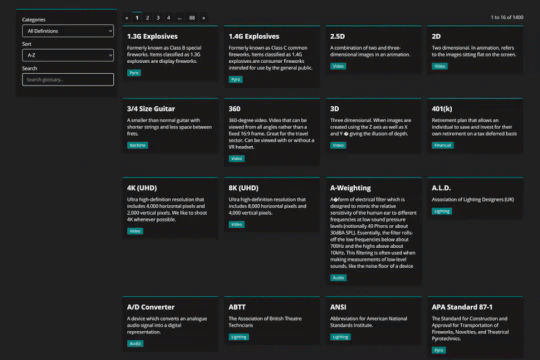

Using Mixitup to combine CMS lists into a single list and add both sorting and filtering to your Webflow site.


A simple way to create complex CMS grid layouts. You can define a layout for any item in the grid. You can make it multiple spans of columns and rows. You can also set columns and rows to the nth items as well as even or odd items.
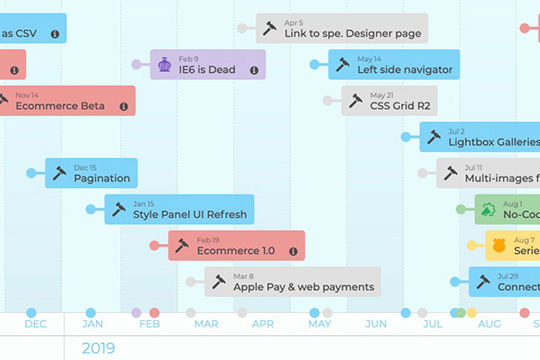

A horizontal scrolling timeline of events driven by Webflow CMS. You can navigate through the timeline both vertically (below) and horizontally. Both lists stay in sync. The vertical section shows more notes and links regarding the timeline events. This timeline is CMS driven and there are two collections, one for the events and one for the categories of each events. Each year of the timeline is made out of one collection list. There is more info on how this works at the bottom of the page, specifically how the CMS and CSS calc work. This could be great for about pages, client timeline pages, and much more.

A great way to showcase different content in sections based on users page scroll. This cloneable utilizes GSAP and Scrolltrigger in line with Webflow CMS to showcase various content based on when a user scrolls down a page. In this example as the user scrolls the primary image changes to the next image based on the content that's currently visible. This is also hooked up to Webflow CMS in order to power this by your Webflow CMS collection. This opens all sorts of potential use cases aside from the one demonstrated here. You could switch content out instead of images, or even add videos or other GIF files instead of static images. A simple and yet powerful GSAP cloneable that's perfect for your Webflow arsenal.
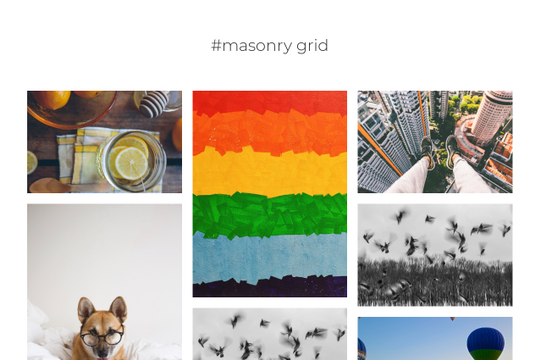

A vertical masonry image grid lightbox driven by Webflow's native CMS. This allows you to easily integrate a beautiful masonry image grid with a full screen pop up modal upon click. The modal has a lighthouse slider with thumbnails that you can click on and view each individual image within the CMS system.
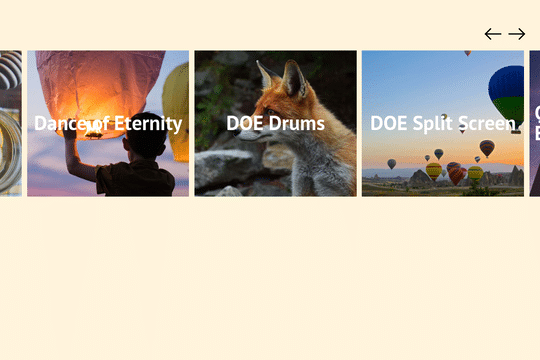

Add a CMS driven draggable slider with smoothing to your Webflow site. This slider offers the ability to slide with a trackpad and also has mobile smoothing. There's a small webkit code that removes the scrollbar as well.


An advanced demonstration of using Finsweets Attributes CMS Filter using no-code for Webflow. The example includes a search input, sorting, checkboxes, range slider, sorting, drop down, radio buttons and more. A great way to understand the capabilities and advanced filtering options of Attributes CMS filtering.


A beautiful example of a Splide.js Webflow slider that features a variety of features in a beautiful design. This slider offers navigation buttons (previous/next), fading out of the person image that isn't active, text description fade in on current active item and more. This example utilizes Webflow's native CMS collections which helps make this even more expandable and future proofing for you or your clients. This example also features infinite looping so that no matter the number of slides users can navigate endlessly through the items. With Splide and this example, you can customize a variety of options such as perPage, perMove, focus, the gap between items, arrows, pagination, the speed that the slider changes items, the dragthreshold, rewind speed and individual breakpoint styling effects. Keep in mind there is some custom CSS that you'll need to add as well which can be found in page settings and via an embed.


Looking for a dynamic and easy way to build email signatures in Webflow? Here's a CMS clonable that allows you to easily manage and create email signatures within Webflow. This is a step-by-step guide to create and manage you or your companies email signatures and designs from within Webflow. Building an email signature can take seconds now thanks to the power of Webflow's CMS and your own unique designs.
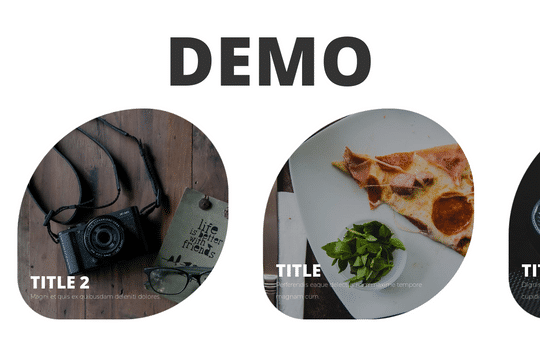
Here's a way to create a horizontal scrolling slider item based on a Webflow CMS. The top one is an example of it in use, while the second one is easier to copy and paste into your projects. Just unbind it from the collection and you can then copy and paste. It's limited to four items so if you end up adding more you'll need to go in and edit the interaction. Please note that there are separate interactions for mobile, tablet and landscape.


A 100% native CMS based Webflow horizontal scroll technique. This CMS horizontal scroll animation was built solely with Webflow native interactions without any custom code. The method was to use a second collection list and make the length of the scroll trigger wrapper always proportional to the width of the horizontal strip. This way nothing to adjust or change in the designer when the number of items changes, and the animation will always feel consistent and smooth.

A full suite of wonderfully designed and accessible components for Finsweets Attributes CMS Filter and Webflow forms. Includes radio button, checkbox, dropdown, search input, select, range slider and more!


A fancy scrolling interaction to showcase your work in Webflow. This cloneable uses Webflow's native CMS and the power of Webflow interactions to create a smooth scrolling interaction in which each slide is a different section. Upon scrolling the images move in smoothly and the headline and description appear. This is a rather extensive interaction as it deals with scroll actions and scale, opacity, move based on the location of the page.


A unique example of various text related interactions in Webflow. When the site loads each letter is gradually shown, scrolling down the page you're then presented with further interactions via the in-view and out of view interactions with offset to create a nice effect while scrolling. This is based entirely on Webflow's native CMS system. There is some custom CSS in order to have the customized Webflow CMS items and for cursor events.

Three different stunning Swiper.js carousel sliders built for Webflow. The first variation contains a draggable bar, slider dots to indicate which slide is currently active and slider arrows. The second variation features a dark themed variation of the first version. The third is a larger variation of the other two. These designs are all setup for Webflow's native CMS collection so that they can tie into your preexisting CMS items. As mentioned you will need to add the custom script found in the page settings. With this Swiper.js slider you can customize the looping behavior, slides per view, the slides between groups, space between, mousewheel, the transition speed, mobile responsive break points and its actions. You'll notice that classes are associated with many variables in the code, so be sure to use those or update them to your own.


Looking to add a dynamic image slider that can change based on categories? Here's way to add a dynamic image slider driven by Webflow CMS that can be filtered by categories or links of your choosing. The amount of slides is determined by the amount of images added to the multi-image field within collections.
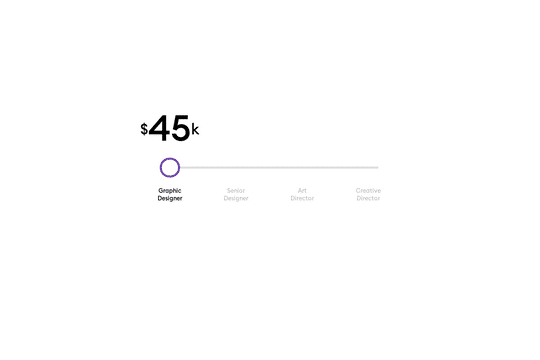
A CMS driven range slider that updates the price based on the selected range in Webflow. This pricing range slider is connected to Webflow's native CMS system. Note that this requires custom code within the Body close tag section to work properly.
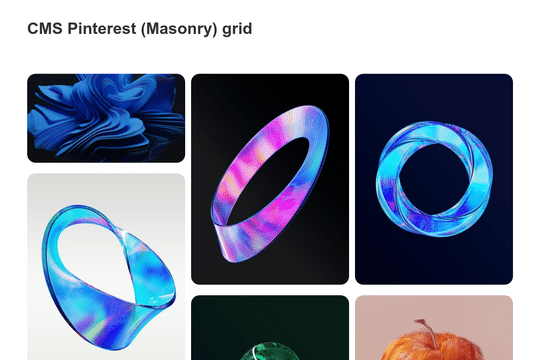
A CMS based Pinterest masonry grid design for Webflow. This unique styled masonry grid is powered by Webflow's native CMS and provides unique hover over interactions.
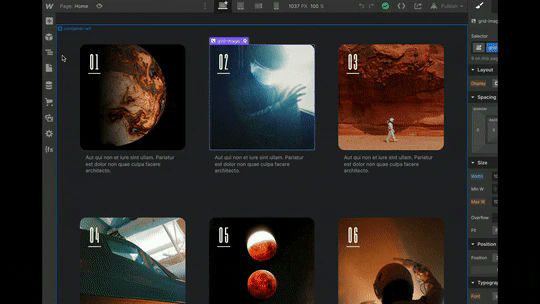
Here's a technique for changing the size of CMS elements with a toggle button to give your clients more flexibility in displaying CMS items in Webflow. Each element has a toggle, medium large and align center. When one of those options is active, a class is then added to the grid item via custom code. This then changes the design based on the clients selection. In order for this to work, the embed field in each CMS item and the jQuery code must be added. Tutorial: https://youtu.be/DsuCGRSgJIk
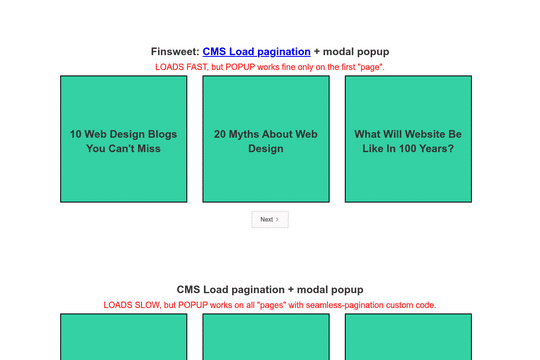

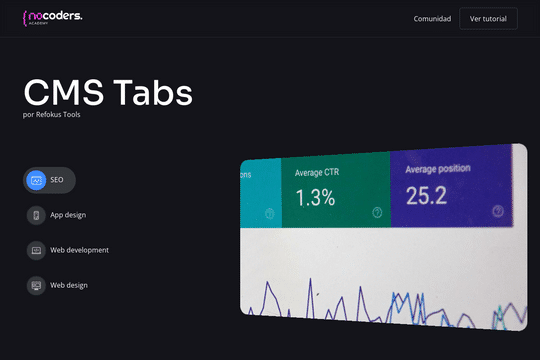

Here's a way to utilize Webflow's native CMS system to power tabs on your Webflow site. This is perfect for designers who want to allow their clients to edit/update their Webflow sites within the CMS system, rather than the designer. All interactions are built with Webflow's native CMS system and interactions.

A Webflow CMS driven image lightbox/photograllery. This lightbox is created using custom code via jQuery and the script can be found in the closing body tags. This method allows for you to use CMS collections on a single page and power lightboxes of photogalleries with a simple bit of code. The lightbox features a pop up modal, previous and next buttons and a way to close the modal screen.
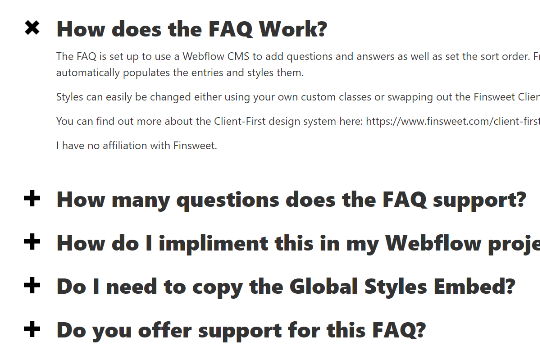

A fully built FAQ accordion section powered by Webflow native CMS collection with native interactions and animations. A great way to add a frequently asked question section to your Webflow site or clients site that is powered by the Webflow CMS system.
