


Custom List Bullet Color
Example
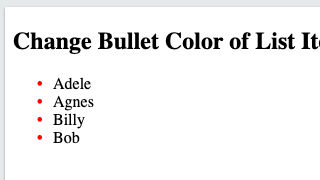
Description
Easily update Webflow's native bullet list color with this simple CSS script. Updating Webflow's native list color is actually simple with this custom CSS script.
Instructions
- Add the custom CSS to head section of custom code or your global embed
- Set No Bullets to remove default bullets in the list settings
- Add a class and and set padding-left to list
- Add a class to all items and set relative position
Javascript snippet
CSS snippet
HTML snippet



Snippet tags



Real-time sorting by

No items found.
Real-time sorting by
