


How to Build a Directory using Webflow, Memberstack and Parabola






Tutorial tags
Description
How to build a full fledged member directory site with only no-code tools Webflow, Memberstack and Parabola.
Overview
Building an analytics dashboard in Webflow and Memberstack for your directory
Adding a wishlist to your directory
Removing a member from your directory wishlist
Overview of the job board via Webflow CMS
Using Parabola to send Memberstack metrics to Webflow CMS
Overview of the Parabola Data sync
Creating Dashboard pages for your directories in Webflow
Resources
Transcript
so in today's video i'm going to be
taking you behind the scenes of the
freelancer facing side of the unicorn
factory so without further ado
let's get into it
[Music]
hey friends welcome back to the channel
if you're new here my name is colin on
this channel i have people who cannot
co-build
online businesses with no code tools
like webflow ear table and
zapier so in today's video i am going to
be taking you behind the scenes of the
unicorn factory and i'm going to show
you everything
that has to do with the freelancer
facing side of the platform so
specifically i'm going to show you the
job board
i'm going to show you the type of
functionality that i have inside of the
freelancer dashboard
and i'll also give you a little look
into the tools so you can see how it's
set up inside of webflow as well as some
of the workflows that power it in the
background
but before i give all of my secrets away
do me a quick little favor if you
haven't already subscribe to the channel
for more content like this
also if you want to support this channel
and me then also leave a quick
like on this video it helps a lot but
with all of that out of the way let's
check it out okay
so let's just start off on the home page
of the freelancer dashboard
we've got a few different things going
on here i'm just going to start with the
first most important thing which
is the open jobs that have been listed
on our job board so
in here you can see a list of all of the
projects that are currently open
um and if you want to apply for a job
then all you need to do is just click
into it
you can then go through the entire brief
and all of the information that
you need and then you can request an
introduction if you're interested in
doing that
so when i started the unicorn factory
the job board was probably
the first thing that i built in the
freelancer dashboard that was probably
actually the main reason why i built the
freelancer dashboard but since then it's
evolved a bit
so the first thing that i added after
watching aaron's tutorial on his
automate all the things
youtube channel was the analytics
dashboard
now what he presented was how to
rank blog posts um inside of a webflow
cms
but i just took some of those learnings
and basically turned it into this
analytics dashboard and basically what
it does is it goes and looks at every
single freelancer's profile page
and it kind of um pulls from google
analytics how many page views that
particular freelancer has had
and then it updates it every single
night using parabola
and so that way i can give the
freelancers an up-to-date analytics
dashboard
so whenever a freelancer closes a deal
they also have a form that they can fill
out it's a
form that i created with webflow i also
have some videos
that sit inside of my circle community
so
whenever for example a freelancer is
just new to using a particular feature
and they need a little bit of help
then there are some support videos that
i just put inside of my circle community
and then we have a few little basic
things like the ability to add and
update case studies
and also the ability to upgrade to
different membership plans that give you
different types of perks so i have
recently
updated this part here so in the past
all that freelancers could do
is add a case study but now i've added
functionality that actually allows them
to update their case studies as well
i'm going to be making a video breaking
down how all of that works in the future
but for now just those two things are
probably the main functionality that the
freelancers need in order to make sure
that their profiles up today
now um another quick note about these
forms i've actually
also set up some functionality that
allows me to pre-fill
these forms meaning that i can make sure
that the freelancers are
not accidentally changing their email
addresses and that has been really good
in terms of making sure that the
workflows
continue to work because as soon as
people start messing with these forms
and changing default settings it's very
hard to do things like
adding reference items inside of webflow
or doing things like
updating portfolio case studies
so another thing that i added and not
too long ago
is a wish list so i'm actually going to
make this available
to both freelancers and clients i'm
still working through the client side of
things
but basically the way it works is you
can jump through
the directory and basically shortlist
freelancers
to your watch list so that you can get
in touch with them later on
so the way it works is when you are
logged in you can just jump in here and
click on
add to your watchlist and then it
automatically changes it to remove from
watch list but then when you click
on the heart icon it will automatically
load
all of the freelancers that you
currently have inside of your shortlist
so
in this case we have chris here who i
just
added and you can then also remove them
from your list from inside of the
watch list of course i also have the
ability for freelancers to update their
profiles
now again um this is something that i'll
be making a video about in the future
but
if you want to pre-populate forms with
information that they already have
inside of their profiles then you can do
that through ear table
and then you can send that pre-populated
link
from ear table to webflow using
something like zapier or parabola
okay so let's talk about how this all
works and i just want to dive into a few
specific
um features so the first thing that
you'll notice is
that um inside of webflow there'll be a
lot more different
field types and that is because i
hide certain grids or sections based on
the membership type that someone's on
so say for example someone just signs up
to join the unicorn factory but they
haven't been approved yet or they
haven't created an account yet
then what i do is i make sure that
inside of member stack i
set the membership to something like
registered and then i
only display these two div blocks here
that then
allow me to basically point them in the
right direction and i've got a bunch of
different
um grids that get displayed depending on
a certain membership
type and the main reason why i do that
is because it allows me to prompt users
to do the next steps that i need them to
take in order to complete the
application
now the job board pretty straightforward
it is
a cms collection the cms collection
again has all the different field types
that i need i've got a few workflows set
up inside of zapier that basically sends
all of the information that a client
submits a via
um job form to air table and then to web
flow
and those are some pretty simple
workflows that i'll link to videos above
in case you want to see how it all works
now one thing that i had in the earlier
version but i am actually going to be
changing this
soon is um conditional formatting so
depending on whether a job is open
on hold or closed it will basically
filter out the different jobs but now
that tools like jet booths are quite
advanced you can actually probably just
skip this step
and this is currently set up with tabs
and you can just use something like
a drop down or a button field to
basically create dynamic filtering
so the next part that a lot of people
ask about is the analytics dashboard now
i actually have
a video on this channel where i
basically take you for all the different
steps
but at a high level all you really need
to know is that the numbers that get
displayed for different freelancers are
stored inside of member stack
and then each night i use parabola to
send the latest data to these fields
inside of member stack so if you haven't
used membership attributes before the
way it works is you just select
the element that you want to populate
with the numbers that sit inside of
member stack
and then you just add the data ms member
attribute
and you can then link directly what's
inside of member stack
to your fields inside of webflow so
while this is not published
member stack is not loading so therefore
it just is not available but as soon as
i go and open
up on the publish website where
membersac does load
it will automatically populate these
numbers with the values that sit inside
of member stack
now the workflow that basically powers
the analytics dashboard
is this one here that's inside of
parabola and there are quite a few
different steps involved with it so
first of all we have the import of
google analytics and then i do a bit of
row filtering because basically what
google analytics does here is it
literally imports every single page
but the only pages that i need to filter
out are the
profile pages and then i have to do a
bunch of
formatting and text extracts so that i
only am left with the slug that is also
stored inside of
air table and then from there i can
start merging those records together and
then
exporting them to whatever tool i want
so the first thing i do is i
update the freelancer table inside of
ear table
and once that is up to date with the
latest
analytics numbers and leads and all
those types of things
i then go and send that data to member
stack
and that is basically what is
responsible for populating these fields
here
and then once all of that is done i also
go ahead
and update a number inside of webflow
which is responsible for ranking the
different freelancers depending on how
many leads they've had
over a certain period of time okay so
while we're at it i'm as we'll show you
how you can dynamically populate
links inside of your webflow projects
with something that you may
have stored inside of member stack so
again what you do
is when you add your buttons you
actually don't
add a link at all you add an attribute
that again
is stored inside of um
member stack and then you can use some
custom script
um that i'll be linking to um into your
project
and then what happens is members that
converts that string
that sits inside of your member stack
account
into a link that then gets displayed
whenever the page is
loaded again i have a tutorial on it you
should definitely check it out
now people have asked me how long it
takes to set up all of these different
pages
and the truth of the matter is all you
really need to do is create
this page once and then you can just
copy and paste the entire page
like this so you jump in
and then you just duplicate the page
click on create and then what i do is i
usually just remove
all of the fields
and then i just start from scratch and
basically populate this middle part here
with the content that i need so if i
need to add
links if i want to add videos i can just
add it straight in there
and then all i need to do is just jump
in here add a new link
to my side panel dashboard and that way
i can just create new pages inside of my
freelancer dashboard in seconds
and it automatically keeps everything up
to date so i've been working on this
dashboard for the last two years now and
this is something that
is a project that kind of evolves over
time so whenever i get feedback from
freelancers i start adding things start
changing things
um but just know that if you want to
build something like a client dashboard
or a freelancer dashboard you can just
start off with
a single page and then just let it
evolve from there
i oftentimes find that this is something
that you can very easily over complicate
and it's absolutely not necessary to
over complicate it because
as soon as you have your first page and
you've got that set up correctly it's
quite easy to actually then start
building on top of it because you
actually have the framework inside of
webflow already set up
and then from there it's just a matter
of jumping into tools like
jet boost or zapier to make sure that
the workflows that you're trying to set
up
work with what you've got inside of your
dashboard but that is a high level
overview of the unicorn factory
freelancer dashboard i wanted to make
this quick little video here to kind of
show you what all the moving parts are
but obviously i've got individual
tutorials on how to build certain
features like the analytics dashboard
that i will link so definitely just jump
in there check it out and hopefully that
will be enough to help you get your own
dashboard set up
there are some fantastic use cases
besides just freelancer dashboards you
can build this for client dashboards if
you run an agency
you can set up your own little custom
job board and a whole bunch of other
things so
hopefully this has inspired you to go
out there get started
if it did please use my affiliate links
down below
always helps doesn't cost you anything
other than that
thank you so much for sticking around
and i'll see you back here
for the next one
[Music]
you
Related tutorials


Learn how to create a member profile page that can be edited by your members using Webflow, Zapier and Airtable


Learn how to connect Webflow forms with Airtable & Zapier. Learn how to integrate the forms, create a review process in Airtable for approval, and then update Webflow CMS automatically.
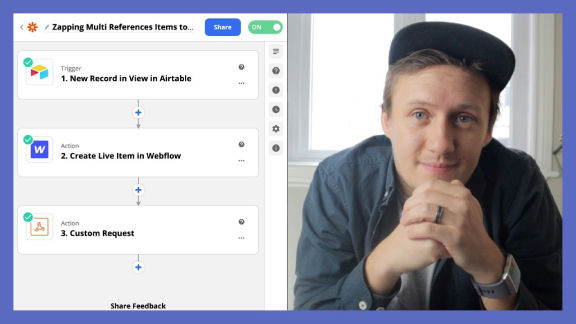
Learn how to populate Webflow multi-reference CMS items inside of Webflow using Airtable and Zapier
A quick and dirty guide to creating an e-learning platform using Webflow, Memberstack, Airtable and Zapier.
Learn how to use Airtable webhooks to connect your Webflow site to Memberstack and Stripe

In this video, we learn how to create a simple button animation you can use for your next website project! Create it today on Webflow!

More from author
Learn how to create a member profile page that can be edited by your members using Webflow, Zapier and Airtable
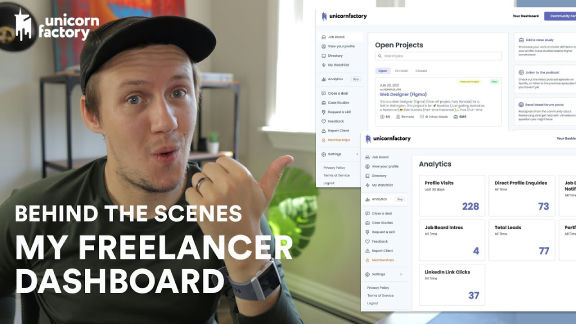
How to build a full fledged member directory site with only no-code tools Webflow, Memberstack and Parabola.
Learn how to populate Webflow multi-reference CMS items inside of Webflow using Airtable and Zapier
A quick and dirty guide to creating an e-learning platform using Webflow, Memberstack, Airtable and Zapier.
How to use Webflow reference fields to create content rich profile pages in Webflow using Zapier
Learn how to use Airtable webhooks to connect your Webflow site to Memberstack and Stripe
Learn how to greatly reduce your design development time with global swatches . Learn what swatches are, why you should use swatches and tips and tricks for implementing swatches on your designs.
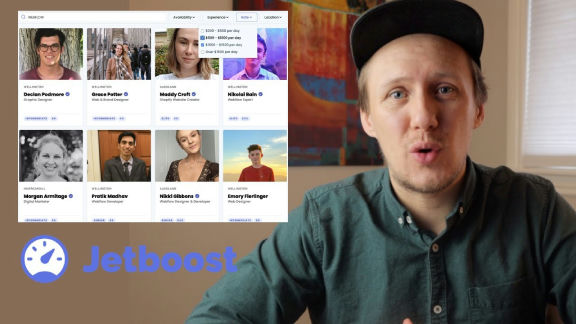
Learn how to take Webflow search and filtering to the next level with Jetboost. Learn how to setup filtering,
