Water Mouse Hover Ripple Effect

Try the cloneable below

Cloneable tags

Description

The Water Mouse Hover Ripple Effect Webflow cloneable is a unique and interactive tool that allows you to add a water mouse hover ripple effect to your website. This cloneable, created by Brad Stallcup, is categorized under Mouse, Hover, and Animation and is a great way to add some visual interest and interactivity to your site. The Water Mouse Hover Ripple Effect is easy to set up and requires only a tiny bit of code and the javascript library to work. Whether you want to add some visual interest to your site or simply want to give your users an interactive element to play with, the Water Mouse Hover Ripple Effect is a great choice. It is a good idea to use this cloneable on your website to improve user experience and add uniqueness to your website.

A fun way of changing the gradient background color via mouse in Webflow. Please note this will not work in Firefox. This is a native Webflow interaction and just a single line of CSS code. The CSS controls the pointer events to none while the interactions control the location of the blur and it's surrounding effects.

A huge selection of premade Webflow animations, including animated buttons, click buttons, circular hover buttons, scroll down animations, nav link animations, tab animations, search bars, social media buttons, text animations, contact cards, blog cards, product cards and more.

Here's a beautiful WebGL colorful background animation on page load. A great way to add extra color and a dynamic element to your Webflow site.

A two colored spiral galaxy animation for Webflow created with Three.js. This spiral galaxy spins in the background of your Webflow site and offers zoom in/zoom out functionality by the scroll wheel on your mouse.

Add a liquid metal background animation to your Webflow site via WebGL. Please note that this example relies heavily on scripts and custom code so you'll need to add the custom code found within the page settings.

Here's a fun way of adding a custom worm style cursor to Webflow. The snake follows your cursor on the page and creates a trail effect. To customize the worm be sure to update the custom code.

Here's a demonstration of using three.js for the background of your Webflow site.

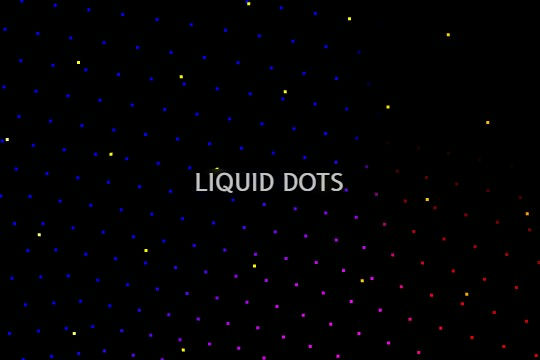
A liquid 3D mesh net with gradients and transitions engulfs the background of your Webflow site. Inside there are shaders and code found in the page. You can adjust the values to customize the effects of this liquid 3D mesh design.

DRAG
Real-time sorting by

A fun way of adding a water mouse hover ripple effect to your Webflow site. Simply add a tiny code and the javascript library and you're all set.

A full page background video hero section design in Webflow. An easy way to integrate a background video hero section in your Webflow projects with unique button interactions, and a scroll indicator.

Add a CMS driven draggable slider with smoothing to your Webflow site. This slider offers the ability to slide with a trackpad and also has mobile smoothing. There's a small webkit code that removes the scrollbar as well.

A fullscreen photo accordion with hover over interactions for Webflow. This Webflow cloneable features a unique full screen accordion powered by Webflow's native CMS system. When a user hovers over each card the card expands to show a larger image and detailed information about the accordion. While a majority of the effects were created with Webflow's native interactions there is some custom code that needs to be applied.

A full screen animated navigation with hover interactions and slide in animations.

A way to achieve text appearing on scroll effect.

Here's a dark design full width large accordion with interactions for Webflow. An easy way to add a huge accordion to your Webflow site.

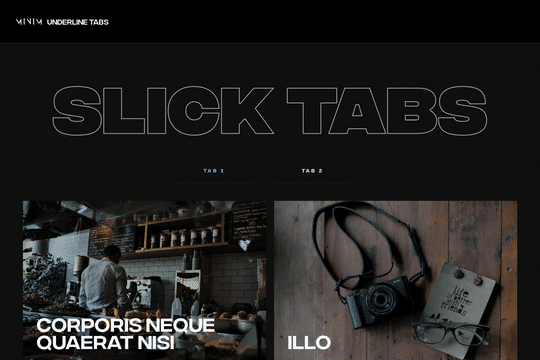
Here's a unique underline animation for tabs in Webflow. When you hover over a tab, an animated underline interaction is triggered. The tabbed items also have a hover over interaction in which a view magnetic button appears and follows the cursor over the hovered item.

DRAG
Real-time sorting by