Fashion Hero Slider

Try the cloneable below

Cloneable tags

Description

The Fashion Hero Slider is a stylish and visually striking hero section perfect for fashion websites and portfolios. Inspired by a Dribble design and created to test the author's expertise in Webflow, this cloneable is a professional and sophisticated choice for any fashion-focused website. Initially designed in Figma and then translated to Webflow, the Fashion Hero Slider utilizes Class Adder via Finsweet for interactions and a javascript library provided by Timothy Ricks for text animations. Created by Siv Studio, this cloneable falls under the categories of Hero, Interactions, Slider, and Image, making it a versatile and functional choice for any website. Whether you're looking to add a hero section to your fashion site or simply want to add some visual interest, the Fashion Hero Slider is a great choice.

A huge selection of premade Webflow animations, including animated buttons, click buttons, circular hover buttons, scroll down animations, nav link animations, tab animations, search bars, social media buttons, text animations, contact cards, blog cards, product cards and more.

A unique stacking cards on scroll interaction in Webflow. When you scroll down the page the cards on the right side stack on top of each other. A unique interaction perfect for a SaaS or technology site. The stacking cards effect was built entirely using Webflow interactions and does not require any additional code or scripts. The effect is created by using the While scrolling into view trigger, with the use of Scale and Filter. The filter applied reduces the overall brightness of the card and the scaling is used to send the item back smaller. Overall a well designed and thought out solution for a stacking card interaction.

A beautiful Swiper.js overlapping cards slider built for Webflow. This Swiper.js slider is perfect for a hero section or features section of a site. When a user navigates between slides the top card is removed and the next card in line comes into view. The cards are stacked with various offsets so it looks like playing cards. There are text transitions for each text associated with the slide. This slider was created using Swiper.js and utilizes Webflow's native CMS collections. This allows you to dynamically generate slides based on the collection list items. This requires custom code so be sure to look at the pages custom code for the Swiper.js code. You can modify the Swiper.js code to include grabcursor, looping, and utilizing arrows to navigate between slides.

An animated timeline scrolling effect perfect for about pages, historical pages and many others. As the user scrolls down the page a fun native interaction is applied that allows users to visit historical timelines with a unique Webflow interaction. The current date and item that is in view increases brightness while others out of view are faded out. The user can scroll down the page and have historical information provided in a unique and interactive fashion. This interaction uses while scrolling in view and while page is scrolling page trigger interactions.

Add a progress bar to your draggable CMS slider sections in Webflow. Typically most draggable, or third party sliders, don't offer a progress bar indicator. Using the power of Dragdealer.js you can now add a progress bar and draggable CMS slider to your Webflow site. Please note that you'll need to add the global styles HTML embed as well as the custom script found in the closing body tag within the Page settings for this to work properly.

Here's a demonstration of using three.js for the background of your Webflow site.

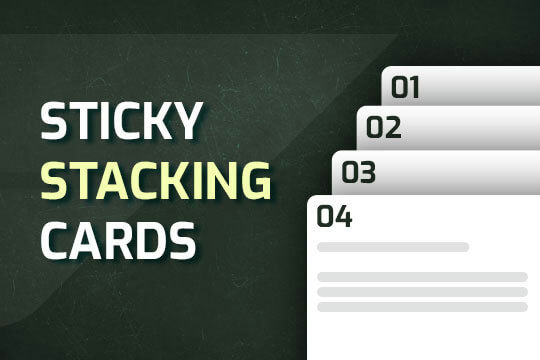
A way of utilizing sticky cards that stack on scroll in Webflow. Using position sticky and a scrolling into view interaction allows for this effect without any custom code.

Here's a unique way to add transition animations to a full screen slider. Using both Swiper.js and a GSAP animation script.

DRAG
Real-time sorting by

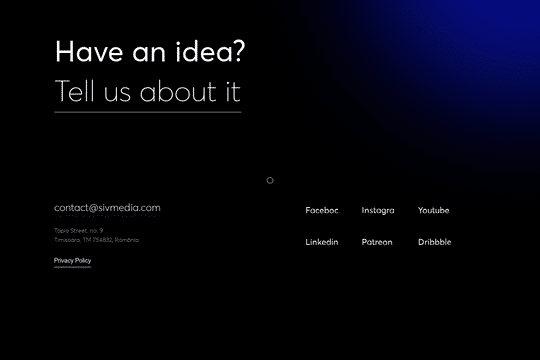
A fun, predesigned footer for dark sites using a mix blend difference which allows for easy customizing to your sites designs. Includes custom mouse cursor, hover over effects using mix blending, and much more. Make sure you have selected the body class (all-pages) and then go to the typography panel and select 1VW for it.

A real estate hero section design for Webflow. This hero features a custom load animation, call to action buttons, fully designed slide in menu/nav bar and much more. This features a JS snippet to disable scroll once the menu is open, which can be found in the home settings before the body tag.

A free cloneable hero section that includes a scroll to reveal text interaction. As the user scrolls down the page the next section is zoomed into and the text then begins to appear. Make sure you have selected the body (all pages) and update your typography settings to 1vw for it to work.

A free cloneable footer component with gradient background animations, featuring page links, social media buttons and more. For this to work be sure to check the settings and that you have selected the body class (all-pages) go to typography panel and apply 1vw for it.

A free cloneable fashion site hero section, perfect for a website or portfolio section. This was inspired by a Dribble and to test out the authors expertise in Webflow. Initially starting the design in Figma, and then translating it to Webflow. For the interactions the author utilized Class Adder via Finsweet and for the text animations utilized a javascript library provided by Timothy Ricks.

DRAG
Real-time sorting by