





Cloneable tags
Description
A simple yet fun Webflow interaction in which a custom cursor becomes visible upon item hover. This technique utilizes Webflow interactions but does have a small CSS snippet HTML embed, so be sure to add that. This example utilizes Webflow interactions Mouse hover events. When the mouse moves over an object the pointer scales accordingly. This is a fun, lightweight example of adding even more unique animations and interactions to your site.
Related cloneables



A fun way of adding a water mouse hover ripple effect to your Webflow site. Simply add a tiny code and the javascript library and you're all set.


A fun way of changing the gradient background color via mouse in Webflow. Please note this will not work in Firefox. This is a native Webflow interaction and just a single line of CSS code. The CSS controls the pointer events to none while the interactions control the location of the blur and it's surrounding effects.


A huge selection of premade Webflow animations, including animated buttons, click buttons, circular hover buttons, scroll down animations, nav link animations, tab animations, search bars, social media buttons, text animations, contact cards, blog cards, product cards and more.


A unique stacking cards on scroll interaction in Webflow. When you scroll down the page the cards on the right side stack on top of each other. A unique interaction perfect for a SaaS or technology site. The stacking cards effect was built entirely using Webflow interactions and does not require any additional code or scripts. The effect is created by using the While scrolling into view trigger, with the use of Scale and Filter. The filter applied reduces the overall brightness of the card and the scaling is used to send the item back smaller. Overall a well designed and thought out solution for a stacking card interaction.
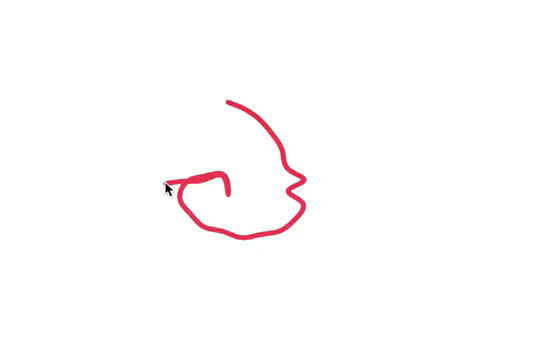

Here's a fun way of adding a custom worm style cursor to Webflow. The snake follows your cursor on the page and creates a trail effect. To customize the worm be sure to update the custom code.


An animated timeline scrolling effect perfect for about pages, historical pages and many others. As the user scrolls down the page a fun native interaction is applied that allows users to visit historical timelines with a unique Webflow interaction. The current date and item that is in view increases brightness while others out of view are faded out. The user can scroll down the page and have historical information provided in a unique and interactive fashion. This interaction uses while scrolling in view and while page is scrolling page trigger interactions.


Add a progress bar to your draggable CMS slider sections in Webflow. Typically most draggable, or third party sliders, don't offer a progress bar indicator. Using the power of Dragdealer.js you can now add a progress bar and draggable CMS slider to your Webflow site. Please note that you'll need to add the global styles HTML embed as well as the custom script found in the closing body tag within the Page settings for this to work properly.


Here's a demonstration of using three.js for the background of your Webflow site.

More from author
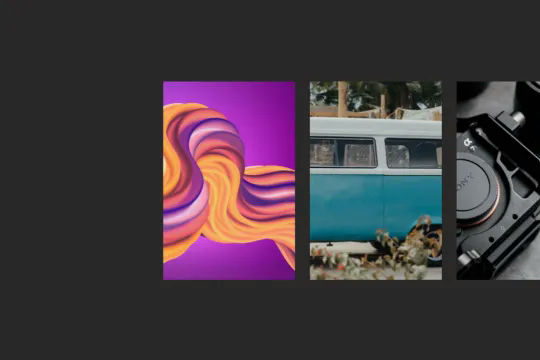
A beautiful horizontal image portfolio parallax effect for Webflow. When a user scrolls down the page the images move from right to left and provide a parallax style effect as the image behind the visible section is moved as well. This technique utilizes Webflow's native interactions and doesn't rely on extra Javascript or CSS. The technique uses While scrolling in view, with one div moving over at one speed and the section with images moving over at another, providing this unique parallax image scroll effect.

A unique expanding portfolio hover interaction built completely with Webflow interactions. When a user hovers over these portfolio items they expand to showcase a larger version of the image. This cloneable was built using entirely Webflow's native interactions and does not require any additional code or HTML embeds. The Webflow interaction uses the Element trigger on mouse hover targeting the class so that all classes will have the same Webflow interaction. When the user hovers over the size of the item expands, on hover out the item returns to the original state. A clean, lightweight solution to create expanding portfolio items in Webflow.
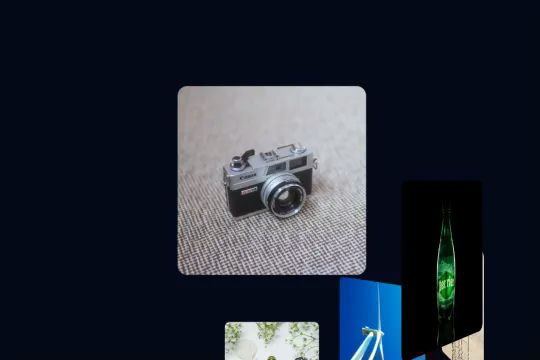
A spiral 3D spinning interaction that requires no WebGL, third party libraries or any custom code. This was built entirely in Webflow with Webflow's native interactions. As a user scrolls down the page the images spin around and rotate around the page. A fun and unique interaction that showcases the power of Webflow. This is perfect for portfolios, or other items on your site. This was built utilizing While scrolling in view and taking advantage of only two options, move and rotate. Essentially the items layout allows for the positioning of the item. By utilizing class names each class will have the same result and effect.

A fun Webflow interaction that follows a users mouse as it navigates over a grid in Webflow. The arrow follows the direction of the mouse as it enters the viewport using Webflow's native interactions. The size of each grid item also increases or decreases based on the position of the mouse on the individual items and grid overall. A great example of what you can build with Webflow's native interactions.

A unique collapsing text Webflow interaction that utilizes native Webflow interactions and custom CSS for the text shadow effect. This is perfect for hero sections or areas where you'd like to add unique text animations. This utilizes Webflows page trigger interaction with when page starts loading. Using a few different divs and two text elements you're able to produce this looping effect on your Webflow site. A powerful yet easy to implement interaction that will make any Webflow site pop.
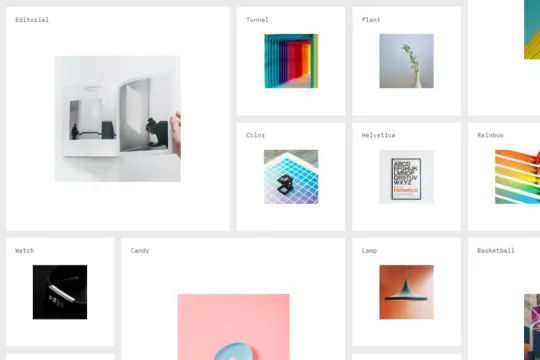
A massive grid that moves objects into view as the mouse moves into the viewport. This is perfect for large product pages, portfolio items and much more in which you want to add a dynamic and interactive grid to your Webflow site. This demonstration uses a combination of Symbols/components and Webflow's mouse move in viewport interactions to generate a large grid that can be navigated by the users mouse. As the user hovers over the image or item card the image expands. All powered without any custom code and using Webflow's interactions and symbols/components.
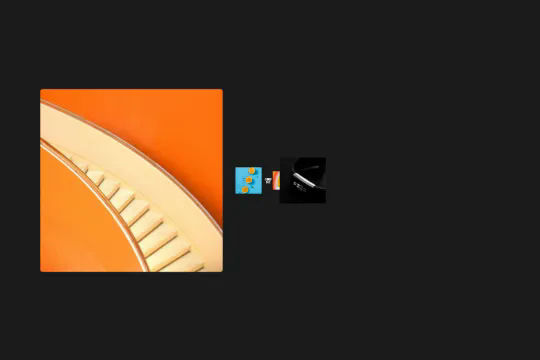
A unique 3D depth of field native Webflow interaction. As a user scrolls through this section the images come towards you from the back of the page. This technique was built using only Webflow interactions and does not use any extra custom code or HTML embeds. This Webflow interaction utilizes the While scrolling in view trigger, it then moves the Z property from 0 to 250 rem. Each individual item also has an opacity and filter applied to it as it's scrolled into the view. A well thought out and unique Webflow interaction that will surely impress your visitors.
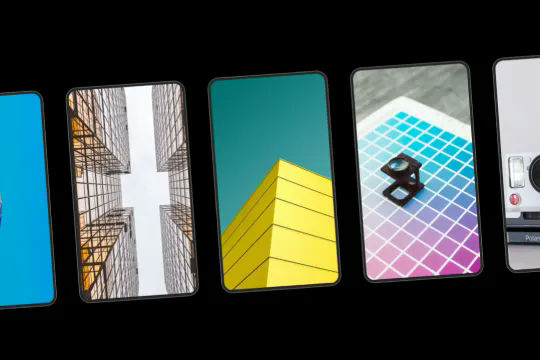
An inclined, horizontal smooth scroll portfolio section created with the power of Webflow interactions. This technique uses no custom code such as Javascript or CSS to implement on your site. Instead this utilizes Webflow's native interactions taking advantage of the While scrolling in view. As the page is scrolled down the interaction moves the cards from right to left. The incline is achieved by utilizing 3D transforms on the cards parent div. Each card has a unique hover effect in which the image moves on hovering of each card. This cloneable is perfect for a portfolio section, features section or much more.