3D Printing Effect by Hover

Try the cloneable below

Cloneable tags

Description

The 3D Printing Effect by Hover is a unique example of the various text-related interactions that can be created using Webflow. When the site loads, each letter is gradually revealed, creating a dynamic and engaging user experience. As you scroll down the page, you'll encounter additional interactions that have been implemented using Webflow's in-view and out-of-view interactions with offset. These interactions add a sense of movement and depth to the site, making it more visually appealing and interactive. This Webflow cloneable was created by Liviu Avasiloiei and is categorized under Interactions, CMS, and Hover. It uses a combination of Webflow's native CMS system and custom CSS to achieve its desired effects, including customized Webflow CMS items and cursor events. Overall, the 3D Printing Effect by Hover is a prime example of the creative and interactive possibilities that can be achieved using Webflow.

A fun way of adding a water mouse hover ripple effect to your Webflow site. Simply add a tiny code and the javascript library and you're all set.

A fun way of changing the gradient background color via mouse in Webflow. Please note this will not work in Firefox. This is a native Webflow interaction and just a single line of CSS code. The CSS controls the pointer events to none while the interactions control the location of the blur and it's surrounding effects.

A huge selection of premade Webflow animations, including animated buttons, click buttons, circular hover buttons, scroll down animations, nav link animations, tab animations, search bars, social media buttons, text animations, contact cards, blog cards, product cards and more.

A unique stacking cards on scroll interaction in Webflow. When you scroll down the page the cards on the right side stack on top of each other. A unique interaction perfect for a SaaS or technology site. The stacking cards effect was built entirely using Webflow interactions and does not require any additional code or scripts. The effect is created by using the While scrolling into view trigger, with the use of Scale and Filter. The filter applied reduces the overall brightness of the card and the scaling is used to send the item back smaller. Overall a well designed and thought out solution for a stacking card interaction.

A beautiful Swiper.js overlapping cards slider built for Webflow. This Swiper.js slider is perfect for a hero section or features section of a site. When a user navigates between slides the top card is removed and the next card in line comes into view. The cards are stacked with various offsets so it looks like playing cards. There are text transitions for each text associated with the slide. This slider was created using Swiper.js and utilizes Webflow's native CMS collections. This allows you to dynamically generate slides based on the collection list items. This requires custom code so be sure to look at the pages custom code for the Swiper.js code. You can modify the Swiper.js code to include grabcursor, looping, and utilizing arrows to navigate between slides.

An animated timeline scrolling effect perfect for about pages, historical pages and many others. As the user scrolls down the page a fun native interaction is applied that allows users to visit historical timelines with a unique Webflow interaction. The current date and item that is in view increases brightness while others out of view are faded out. The user can scroll down the page and have historical information provided in a unique and interactive fashion. This interaction uses while scrolling in view and while page is scrolling page trigger interactions.

Add a progress bar to your draggable CMS slider sections in Webflow. Typically most draggable, or third party sliders, don't offer a progress bar indicator. Using the power of Dragdealer.js you can now add a progress bar and draggable CMS slider to your Webflow site. Please note that you'll need to add the global styles HTML embed as well as the custom script found in the closing body tag within the Page settings for this to work properly.

Here's a demonstration of using three.js for the background of your Webflow site.

DRAG
Real-time sorting by

A unique example of various text related interactions in Webflow. When the site loads each letter is gradually shown, scrolling down the page you're then presented with further interactions via the in-view and out of view interactions with offset to create a nice effect while scrolling. This is based entirely on Webflow's native CMS system. There is some custom CSS in order to have the customized Webflow CMS items and for cursor events.

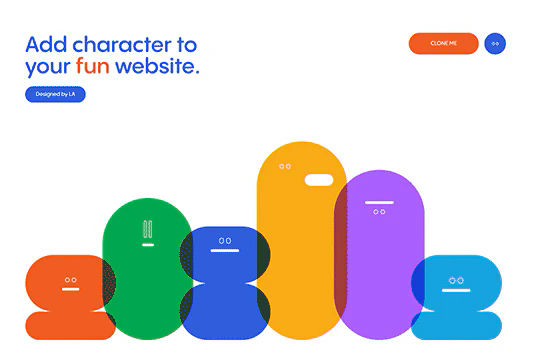
A set of fun characters created via strictly from Webflow interactions utilizing divs and no images. A great exercise in the abilities of Webflow interactions. The interactions rely on movement, size of divs with a loop to make this continuous animated character interaction.

DRAG
Real-time sorting by