





Cloneable tags
Description
The Tab Style Slider Method is a unique way to create a tabbed style slider for Webflow with custom transitions. This cloneable removes the traditional previous and next slider buttons and instead uses numbered sliders. When a user clicks on the next number, the text and images slide in via a custom transition. This cloneable is categorized under Tabs, Slider, Transition and was created by Redleo. If you're looking to change up the way your slider is displayed within Webflow, the Tab Style Slider Method is a great option. It's perfect for adding a touch of style and interactivity to your Webflow site. So why wait? Check out the Tab Style Slider Method today and start building creative and eye-catching sliders for your Webflow site!
Related cloneables



A beautiful Swiper.js overlapping cards slider built for Webflow. This Swiper.js slider is perfect for a hero section or features section of a site. When a user navigates between slides the top card is removed and the next card in line comes into view. The cards are stacked with various offsets so it looks like playing cards. There are text transitions for each text associated with the slide. This slider was created using Swiper.js and utilizes Webflow's native CMS collections. This allows you to dynamically generate slides based on the collection list items. This requires custom code so be sure to look at the pages custom code for the Swiper.js code. You can modify the Swiper.js code to include grabcursor, looping, and utilizing arrows to navigate between slides.

Add a progress bar to your draggable CMS slider sections in Webflow. Typically most draggable, or third party sliders, don't offer a progress bar indicator. Using the power of Dragdealer.js you can now add a progress bar and draggable CMS slider to your Webflow site. Please note that you'll need to add the global styles HTML embed as well as the custom script found in the closing body tag within the Page settings for this to work properly.


Here's a unique way to add transition animations to a full screen slider. Using both Swiper.js and a GSAP animation script.


Power up your Webflow tabs through a timed, auto-rotating tabs feature. This is perfect to add emphasis to your Webflow tabs and more specifically demos, explainers, testimonials and just about everything else you can think of. This is a super simple script that adds auto rotation to Webflows native tabs.

A complete Splide.js CMS slider solution for Webflow. Splide.js offers a great solution over Webflow's native slider solution. Lightweight and mobile friendly this slider offers four different designs and implementations, including a Webflow CMS slider solution using Splide.js. This technique does require custom code that you'll find within the page settings, custom code area. Using this solution you can update the number of items per page, the number of items changed per slide, infinite looping, pagination, speed, drag threshold and much more.

A 3D Splide.js CMS draggable slider for Webflow. This 3D draggable slider created with Splide.js allows you to integrate Webflow's native CMS solution with Splide.js to create a dynamic and interactive slider with Webflow. The slider features navigation arrows and the ability to drag between each slide item, perfect for desktop or mobile. There's also a 3D effect with the slides entering and exiting the viewport. The Splide.js slider allows you to customize the number of items per page, per move as well as various break point functionality for mobile responsiveness. You're also able to modify the delay, duration and easing in and out. This example is infinite looping so that there's no beginning or end and the users can navigate endlessly between each individual slide that is powered by Webflow CMS.


Here's a way to utilize a tab change interaction for your Webflow sites. Upon clicking the tab the elements animate and the tab changes. Note that any interactions happening within the tab page much start after any interactions within the tab link are finished. Otherwise the tab component will cut off the animation resulting in nothing happening within the tab pane itself.
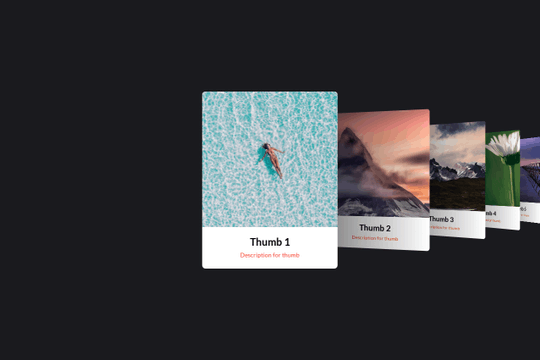

Here's a basic example of utilizing Swiper.js for a slider within your Webflow site. Swiper.js is great for adding a draggable slider with a variety of effects within Webflow.

More from author
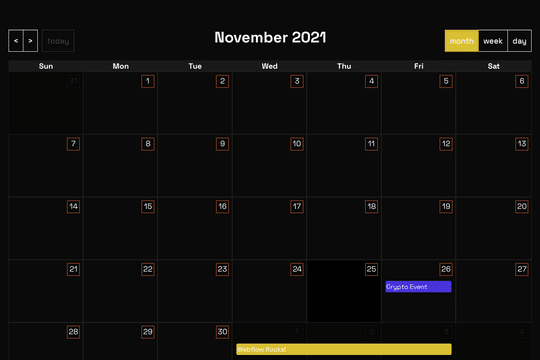
A full page Calendar with week/day/month setting and works with Webflow CMS. This full page calendar design relies on custom stylesheet and JS to work so you'll need to copy both the CSS and JS found in the head and closing body tag of the page settings. Please note that this is primarily driven via CSS and thus Webflow's designer becomes rather useless for the design other than the Webflow CMS elements tied to it.
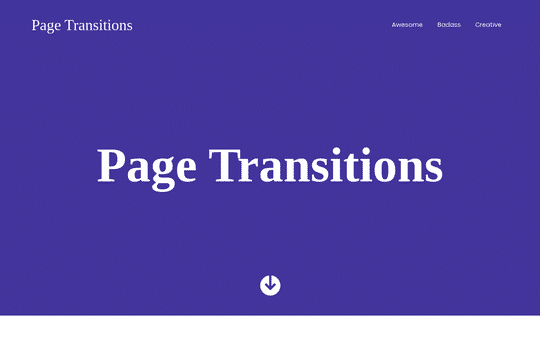
Three different simple page transitions for your Webflow site. These are simple transitions achieved by barba.js. The script can be found on the home page script.
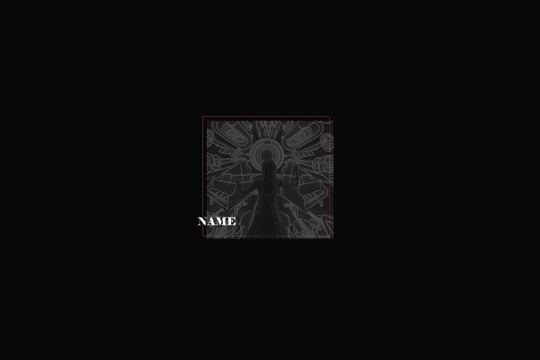
Here's a way to add a glitch on hover effect to divs/cards that have images inside of it within Webflow. A fun way of adding a dynamic glitching effect to your Webflow site.
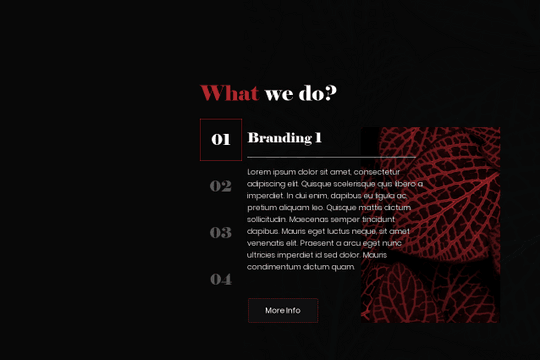
Here's a way to create a tabbed style slider for Webflow with unique transitions. The previous and next slider buttons are removed and each of the sliders are numbered. Upon clicking on the next number the text and images are slid in via a unique transition. Perfect for changing the way that your slider can be built and displayed within Webflow.

A unique slider animation interaction for your Webflow site. Upon next slide the transition zig zags each slide and loads in the next slide with the same animation.

A simple yet effective way of adding a countdown timer and clock to Webflow. This example utilizes some custom code and Webflow's native CMS to create a count down timer clock on your Webflow site.

A unique slider animation for the background image on a site. It utilizes the full viewport and provides a unique animation.

Add a dynamic pricing table with a range slider to help your clients find the best package for them. This is using rangeslider.js. The table is NOT responsive, although shouldn't be difficult to make it responsive if you wanted. Be sure to add the custom code to get this to work properly on your site.
