





Cloneable tags
Description
Looking for a smooth transition between tabs on your Webflow site? Look no further than our Smooth Tab Crossfade CSS Effect Fix Webflow Cloneable! Created by Tony Seets, this cloneable is perfect for those who want a visually appealing transition between tabs without any jarring effects. With just a small snippet of CSS, you can enjoy a milky smooth transition that's sure to impress your visitors. Try it today and elevate your website's user experience!
Related cloneables



A fun way of changing the gradient background color via mouse in Webflow. Please note this will not work in Firefox. This is a native Webflow interaction and just a single line of CSS code. The CSS controls the pointer events to none while the interactions control the location of the blur and it's surrounding effects.


Power up your Webflow tabs through a timed, auto-rotating tabs feature. This is perfect to add emphasis to your Webflow tabs and more specifically demos, explainers, testimonials and just about everything else you can think of. This is a super simple script that adds auto rotation to Webflows native tabs.


An exploding text particles animation using Three.js in Webflow. A good demonstration of how to add Three.js to your Webflow site. In this cloneable the text begins to morph and explode as you move the cursor over it. Please note that this uses custom code found in the head and closing body tags of the page settings.


Here's a way to utilize a tab change interaction for your Webflow sites. Upon clicking the tab the elements animate and the tab changes. Note that any interactions happening within the tab page much start after any interactions within the tab link are finished. Otherwise the tab component will cut off the animation resulting in nothing happening within the tab pane itself.


Add an infinite horizontal marquee to your Webflow site using only HTML & CSS. Building infinite marquees with Webflow interactions can be difficult and confusing. This solution allows you to easily add a horizontal marquee to your Webflow site using HTML embeds or Webflow's custom code. The infinite marquee is lightweight and allows you to customize the direction, as well as the speed at which the marquee is displayed on your site. Skip the confusing calculations typically required for native Webflow interactions and add an infinite Webflow horizontal marquee to your site in seconds.


Have your navbar shrink on page scroll via this Webflow cloneable. Easily create dynamic navbars for your Webflow site that shrink upon scrolling down the page. Once a user reaches a certain point on the page the navbar transitions from dark to light while shrinking. This does not require any custom code and utilizes Webflow's native interactions. This utilizes Webflow's While scrolling in view for two different classes and as previously mentioned does not require any extra custom code. This cloneable is perfect for anyone looking to create a dynamic navbar that allows for dynamic changes based on the users scroll depth on the site.


A unique headline animation for Webflow powered by Anime.js. The headline text sweeps in from the bottom one letter at a time and after displaying the line sweeps out one letter at a time with a fading effect. In order for this effect to occur you'll need to be sure to add the custom code in both the head and closing body tag in Page Settings. This is perfect for a preloader page or temporary scrolling section.
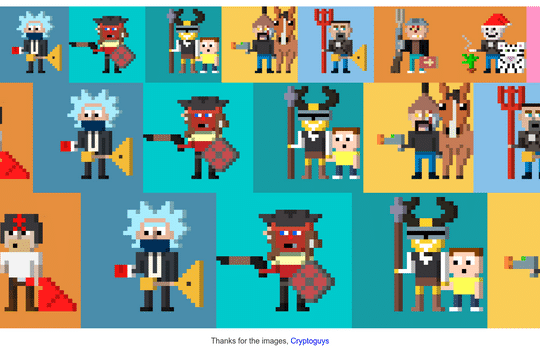

Three different variations of an infinite scrolling marquee driven by completely by Webflow CMS. All you need to do is choose the marquee, use Webflow CMS and you've got an infinite scroll marquee. Three different size variations available in this cloneable. The scrolling marquee is created via CSS, making this easier to implement then Webflow's native interactions, especially when incorporating Webflow's native CMS. You'll find this code within the HTML embed.

More from author
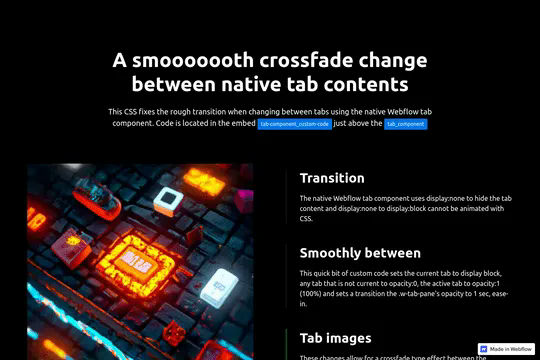
Unfortunately Webflow's native component switches between tabs can be rough on the eyes and somewhat jarring. Using a bit of CSS this cloneable allows for a smooth transition between tabs with visual images by using a small snippet of CSS to override the default tab transition making for a milky smooth transition.
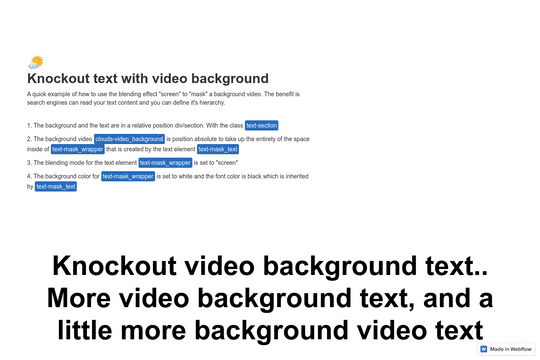
Here's a text masking over a video effect in Webflow. This cloneable demonstrates a technique to allow you to clip a background video using text as the screened blending mode. There's also a demonstration using an image rather than a video.
