





Cloneable tags
Description
Add an infinite horizontal marquee to your Webflow site using only HTML & CSS. Building infinite marquees with Webflow interactions can be difficult and confusing. This solution allows you to easily add a horizontal marquee to your Webflow site using HTML embeds or Webflow's custom code. The infinite marquee is lightweight and allows you to customize the direction, as well as the speed at which the marquee is displayed on your site. Skip the confusing calculations typically required for native Webflow interactions and add an infinite Webflow horizontal marquee to your site in seconds.
Related cloneables



A fun way of adding a water mouse hover ripple effect to your Webflow site. Simply add a tiny code and the javascript library and you're all set.


A fun way of changing the gradient background color via mouse in Webflow. Please note this will not work in Firefox. This is a native Webflow interaction and just a single line of CSS code. The CSS controls the pointer events to none while the interactions control the location of the blur and it's surrounding effects.


A huge selection of premade Webflow animations, including animated buttons, click buttons, circular hover buttons, scroll down animations, nav link animations, tab animations, search bars, social media buttons, text animations, contact cards, blog cards, product cards and more.


Here's a beautiful WebGL colorful background animation on page load. A great way to add extra color and a dynamic element to your Webflow site.


A two colored spiral galaxy animation for Webflow created with Three.js. This spiral galaxy spins in the background of your Webflow site and offers zoom in/zoom out functionality by the scroll wheel on your mouse.

Add a liquid metal background animation to your Webflow site via WebGL. Please note that this example relies heavily on scripts and custom code so you'll need to add the custom code found within the page settings.


A beautiful Swiper.js overlapping cards slider built for Webflow. This Swiper.js slider is perfect for a hero section or features section of a site. When a user navigates between slides the top card is removed and the next card in line comes into view. The cards are stacked with various offsets so it looks like playing cards. There are text transitions for each text associated with the slide. This slider was created using Swiper.js and utilizes Webflow's native CMS collections. This allows you to dynamically generate slides based on the collection list items. This requires custom code so be sure to look at the pages custom code for the Swiper.js code. You can modify the Swiper.js code to include grabcursor, looping, and utilizing arrows to navigate between slides.


Here's a demonstration of using three.js for the background of your Webflow site.

More from author
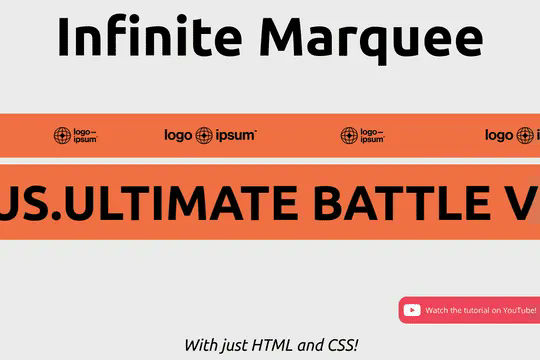
Add an infinite horizontal marquee to your Webflow site using only HTML & CSS. Building infinite marquees with Webflow interactions can be difficult and confusing. This solution allows you to easily add a horizontal marquee to your Webflow site using HTML embeds or Webflow's custom code. The infinite marquee is lightweight and allows you to customize the direction, as well as the speed at which the marquee is displayed on your site. Skip the confusing calculations typically required for native Webflow interactions and add an infinite Webflow horizontal marquee to your site in seconds.
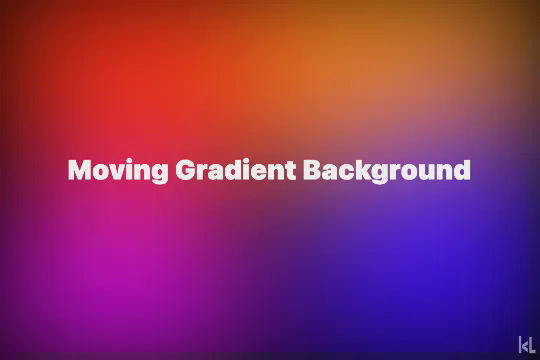
A subtle, yet clean gradient moving background interaction created for Webflow. This cloneable was built with only Webflow native interactions and does not require any additional code or HTML embeds. The effect was created by adding 4 different circle gradients to a gradient wrapper. The moving gradients uses Webflow interactions page load trigger and manipulates the scale of each item over a timeframe. Essentially each item grows and contracts at different intervals creating the appearance of a moving gradient background that isn't overwhelming.

A number of different examples of utilizing Countup.js in your Webflow projects. The examples include, currency count up, intervals, scroll and more. The first example loads when the page is loaded, the second example counts up when the item enters viewport, the third item counts up several items at different intervals and finally there's a currency countup that continuously counts up. This requires custom code which you can find in the custom code section of page settings. Each example is commented within the code and allows you to update the target ID as well as the final count number. The second example is the scroll into view option and can be added as shown in the code. There's also a count down example, count up example with a duration and suffix. This is a great cloneable if you plan on adding count up or count down text items to your Webflow site.


Let's face it, Matter.js is fun! It adds dynamic elements to any site where you can play, throw, and drag items into each other with real like physics. This cloneable features how to utilize Matter.js with SVG bodies. While technically this is easy to accomplish this does require a bit of custom code and HTML embeds, with proper div names to work properly. You can find the custom code for Matter.js and this effect in the Webflow custom code page settings, also take note to the CSS HTML Embed located on the page. This technique uses Matter.js, pathseg.min.js and dcomp.min.js to work properly. This uses element IDs to target the matterContainer and can be further modified to your own specifications. A wonderful example of how to add Matter.js to your Webflow sites in a fairly straight forward manner.

An analog clock built from CSS & JS in Webflow. The design is built from divs, while javascript and CSS drives the analogue movements of the clock hours and hands.
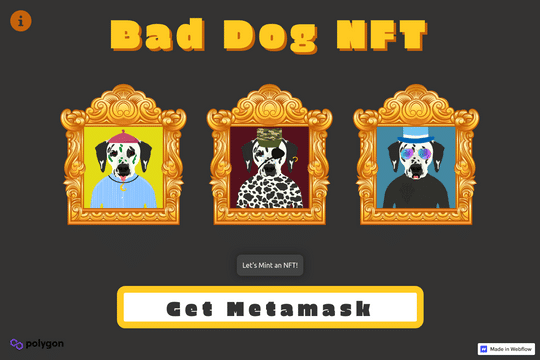
An NFT collection with a minting dapp in Webflow. The minting works but you need to have a MetaMask wallet and you also need to have some MATIC tokens on the Polygon network to avoid high gas fees.