





Cloneable tags
Description
The Mapbox Scrolling API is a great way to add an interactive and immersive map experience to your Webflow project. This cloneable, created by CJ Hersh, demonstrates how to integrate Mapbox into your site to create a storytelling experience as the user scrolls to different sections. This is perfect for giving the history of a city, providing a guided tour, and much more. However, please note that you will need to replace the Mapbox API with your own credentials, and this feature is not currently optimized for mobile. This cloneable can be found in the Geolocation, API, Scroll categories and is a great way to enhance the user experience on your site. Be sure to try out the Mapbox Scrolling API for yourself and see how it can improve the functionality of your website.
Related cloneables



A unique stacking cards on scroll interaction in Webflow. When you scroll down the page the cards on the right side stack on top of each other. A unique interaction perfect for a SaaS or technology site. The stacking cards effect was built entirely using Webflow interactions and does not require any additional code or scripts. The effect is created by using the While scrolling into view trigger, with the use of Scale and Filter. The filter applied reduces the overall brightness of the card and the scaling is used to send the item back smaller. Overall a well designed and thought out solution for a stacking card interaction.


A method to highlight text on page scroll in Webflow. A unique a fun interaction in which the text on the page begins to highlight as you scroll down the page. Each letter even partially highlights depending on where you've scrolled on the page. This effect uses GSAP and Scrolltrigger.js to create the effect. You'll need to add the custom code found on page settings for this to work properly.


An animated timeline scrolling effect perfect for about pages, historical pages and many others. As the user scrolls down the page a fun native interaction is applied that allows users to visit historical timelines with a unique Webflow interaction. The current date and item that is in view increases brightness while others out of view are faded out. The user can scroll down the page and have historical information provided in a unique and interactive fashion. This interaction uses while scrolling in view and while page is scrolling page trigger interactions.


Featuring 10 different text and typography scroll effects powered by GSAP, ScrollTrigger, Lenis.js, splitting.imin.js and Scrolltype.js. Keep in mind that these effects are great but you will need to have some understanding of code in order to modify these significantly as they rely on simply the JS libraries and data attributes to apply each effect. The first effect rotates the text and highlights each letter as the paragraph comes into view. This is achieved via the data attributes as mentioned previously. The second text effect showcases each letter coming into view from a different rotation and then all combines together to make the visible text. The third effect has each word come in at different positions from out of view and then into view on page scroll. The third version unwraps each word letter by letter as you scroll down the page. The fourth effect takes each letter and has it fold up at random intervals as you scroll into view. The fifth demonstration shows each letter rotating into place upon scrolling into view. The next demonstration creates a rolling hills effect for the letters as you scroll into view. The next one showcases a paragraph in which each letter is grown from the initial position as you scroll down the page. An appear example follows this one in which each letter of a word appears to be blurry and come into focus as you scroll down the page. The next and final variation has each word come in from random directions to create the paragraph.
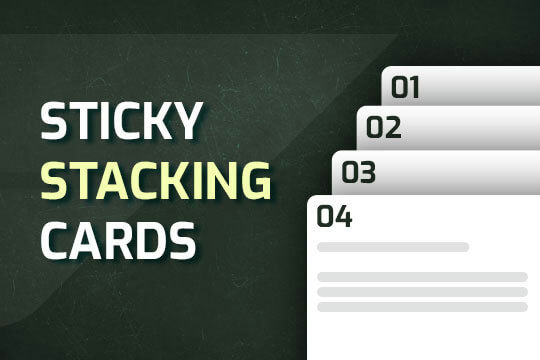

A way of utilizing sticky cards that stack on scroll in Webflow. Using position sticky and a scrolling into view interaction allows for this effect without any custom code.

A unique way of showcasing your logo front and center and have it move up on page scroll in Webflow. This adds a fun dynamic element to your Webflow site and draws the users attention in. This interaction was created entirely from Webflow's native interactions using the While page is scrolling functionality and size, move, scale, opacity and more. This requires no additional custom code and can be cloned and setup quickly.

Learn how to implement GSAP ScrollTrigger in Webflow. This tutorial and example cloneable showcases several different Scrolltrigger GSAP effects to turn your Webflow site into a dynamic powerhouse. When loading the page you are presented with a primary image and brand name. As you scroll down the brand moves from the bottom of the page to the top menu while reducing size. Further down the hero section appears and one of the words begins to move behind other text. Further down an image appears and then grows as you scroll further down the page. This shifts into the product section in which images appear with a parralax effect over certain words. This shifts into another product section and the backgrounds transition while the images still float above the text. Each section has a different background color/text color with the images continually scrolling above the text. This utilizes a lot of custom code, and utilizes Webflow's native CMS for products and items found on this page with CSS nth-child. You will need to add the custom code found in Page Settings to get this to work properly. Watch my GSAP Scrolltrigger tutorial for this project at https://www.youtube.com/watch?v=x-BVEhyYW50 Conceptual design for https://www.minimalgoods.co/

Supercharged marquees powered by GSAP. These unlock a whole new level of customization to your marquees via GSAP. The first example showcases two marquees, both on different z-indexes with an image in between both of them so that one marquee is in front of the image and the other is behind it. The next marquee provides a unique vertical marquee that speeds up or slows down as you scroll it into view. The third and final marquee is a horizontal marquee that does the same as the second. As you scroll this marquee into view it speeds up the marquee while the page is scrolling. As mentioned these demos rely upon GSAP and Scrolltrigger to function properly and provide the functionality. You can customize the code from within the custom code page settings.

More from author
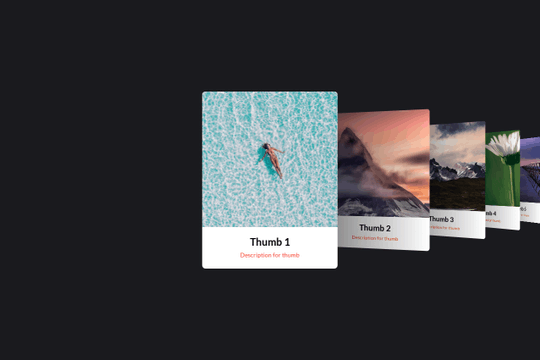
Here's a basic example of utilizing Swiper.js for a slider within your Webflow site. Swiper.js is great for adding a draggable slider with a variety of effects within Webflow.

Three different link hover effects perfect for a menu on Webflow. These three effects create an image hover distortion using three.js.

A set of unique and interesting image slider transitions including distortion and warping effects made with WebGL. The code was modified to behave as bidrectional looping slider. This works on both desktop and on mobile.
A smooth scrolling effect in Webflow that zooms into images as the page is scrolled. Perfect for adding smooth page scrolling and an image effect within your Webflow site.

Here are examples of multi-layered SVG shape overlays with generated animations for your Webflow site. There are several examples in this cloneable and provide good demonstration of how to use SVG shape overlays. Now you can easily modify the SVG colors in each pages custom code panel (header). Easily create a transition for your menu links. There are two demonstrations of ways to prevent multiple clicks and having the menu get out of sync via a Webflow interaction.
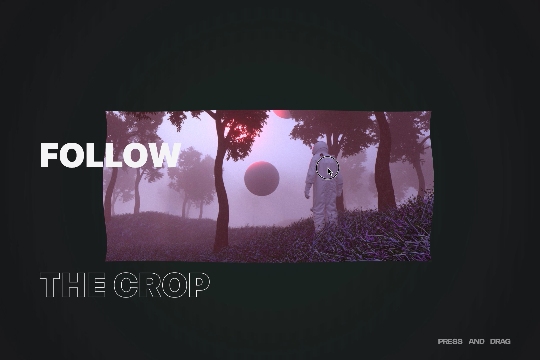
A custom WebGL draggable slider with 3D effects in Webflow. This is a very unique and cool effect to achieve a 3D expand and collapse between transitions on your Webflow site. You can update the text, links, and images in footer via the page settings. Easily modify the effects speed, frequency and more in the footer via the page settings.
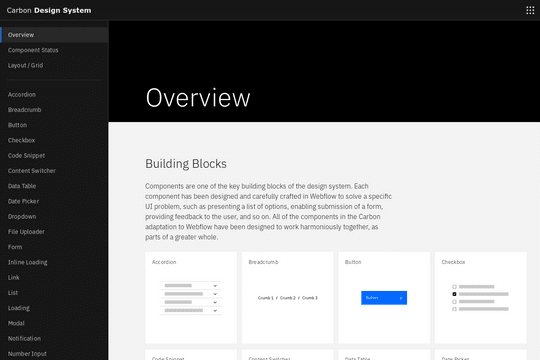
A full UI kit for your next Webflow site. This includes just about everything you could ever need, including accordions, breadcrumbs, buttons, checkbox, code snippets, data tables, date pickers, dropdowns, file uploaders, forms, loading elements, lists, pagination, progress indicator and much much more. This is a great source for just about every type of element you'd ever need for your Webflow projects.
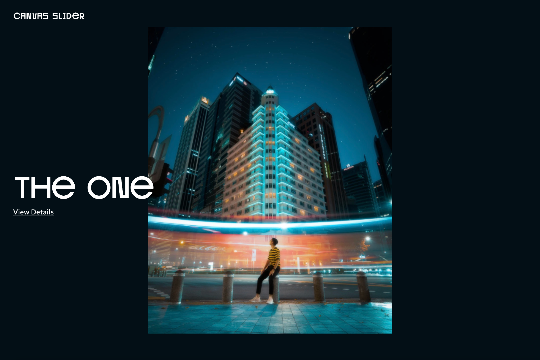
A beautiful, draggable slider for your Webflow site. Some notes about the draggable slider, in mobile view it uses hammer.js for the slider. Images can be updated by changing the attributes found in each <li> item>. The view details URLs can be updated the same way. You can also change the view details and view project by changing the data-video to false. If you want it to say something else you can dive into the code and update that way.