Day of Week Tab

Try the cloneable below

Cloneable tags

Description

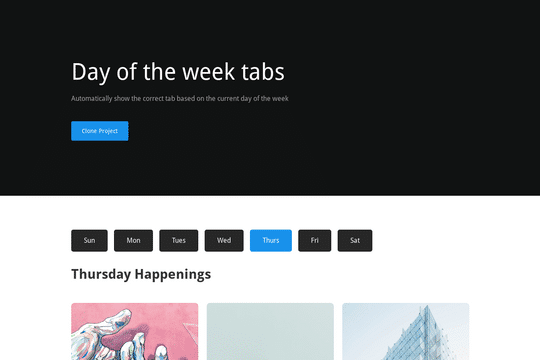
The Day of Week Tab is a cloneable that allows you to automatically show the correct tab based on the current day of the week on your Webflow site. This cloneable uses some custom code, but it shouldn't need to be modified when you clone it. A video walkthrough is also included to help you get started. This cloneable is categorized in the Tabs and Date/Time categories and was created by Chris Spags. If you want to add some dynamic elements to your Webflow site or simply want to show the correct tab based on the current day of the week, the Day of Week Tab is an excellent choice. Its custom code and video walkthrough make it easy to use and set up on your website.

Power up your Webflow tabs through a timed, auto-rotating tabs feature. This is perfect to add emphasis to your Webflow tabs and more specifically demos, explainers, testimonials and just about everything else you can think of. This is a super simple script that adds auto rotation to Webflows native tabs.

Here's a way to utilize a tab change interaction for your Webflow sites. Upon clicking the tab the elements animate and the tab changes. Note that any interactions happening within the tab page much start after any interactions within the tab link are finished. Otherwise the tab component will cut off the animation resulting in nothing happening within the tab pane itself.

A sticky horizontal scrolling timeline container for your Webflow site. This is a combination of sticky position, overflow-x hidden and a scrolling in view interaction. This is perfect for timelines, milestones, process steps, about, history and much more.

A simple animation that has a scroll bar interaction/animation as you scroll down the page in Webflow. The animation is applied to the class, if you want to add more steps simply duplicate the last step and then edit the content.

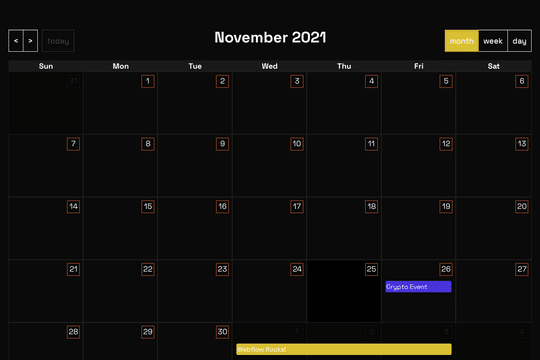
A full page Calendar with week/day/month setting and works with Webflow CMS. This full page calendar design relies on custom stylesheet and JS to work so you'll need to copy both the CSS and JS found in the head and closing body tag of the page settings. Please note that this is primarily driven via CSS and thus Webflow's designer becomes rather useless for the design other than the Webflow CMS elements tied to it.

Here's a way to create auto rotating tabs in Webflow based on a timed interval. This helps animate the static tabs and create a auto-rotating tab functionality, which are set for 5 seconds in this demonstration. This allows you to use the native Webflow tab functionality and users can still click between tabs. Interactions also still work. The animation and auto changing stops when a user hovers over any tab. This technique uses some custom code found in the embeds as well as Webflow native interactions.

Perfect for a services or overview page on a Webflow site. This progress bar indicates where you've scrolled through and which content you're currently viewing. The progress bar was created to scroll to the dynamic CMS collection blocks, typically this is not possible with Webflow since collections can't have anchor links. This was resolved via a nice hack by assigning the ID to the collection classes through an embed and then converting the progress bar links to anchor links so that you can scroll through the various content naturally.

Fourteen different testimonial components perfect for your Webflow site. These modern and well designed testimonials were created to help you add a testimonial section to your site quickly. The first variation has testimonials featured in an off centered design, the second variation showcases a simple 3 design with a primary quote and user avatar. The third variation is a large slider perfect to include a larger testimonial section to your site. Other variations included branded colored cards in a slider, a picture of the person with their company logo over their face, a large centered slider, a twitter card style, a video testimonial, tab testimonials and many other variations. This is a perfect cloneable if you wanted to add simple or complex designed testimonials to your site.

DRAG
Real-time sorting by

Here's a way to use Webflow's native CMS system for star ratings on your Webflow site. Unlike other alternatives you don't need custom code, simply add the star rating in CMS and it'll populate the stars on your Webflow sites page.

Automatically show the correct tab based on the current day of the week on your Webflow site. This uses some custom code, although shouldn't need to be modified at all when you clone this. A video walkthrough is also included!

DRAG
Real-time sorting by