Dark Pricing 4 Column Feature Rich

Try the cloneable below

Cloneable tags

Description

The Dark Pricing 4 Column Feature Rich template is a comprehensive and feature-rich pricing page template for Webflow. This cloneable template features a dark variation of a 4-column pricing page, complete with important features such as tooltip hovers, comparison tables, and sticky headers on page scroll. This template is particularly useful for those in the Pricing and Tooltips categories and was created by Flowbase. It is also mobile-friendly and includes a tabbed version for phones and smaller resolutions, making it easy to view on a range of devices. This template is an excellent choice for anyone looking to create a professional, feature-rich pricing page for their Webflow site. It is easy to clone and customize to fit your specific needs, making it a convenient and versatile choice for any project.

A unique slider pricing calculator that updates the pricing table based on the slider options in Webflow. This is a great way to customize your pricing page tailored to the users unique features that dictate your pricing for your Webflow site and service.

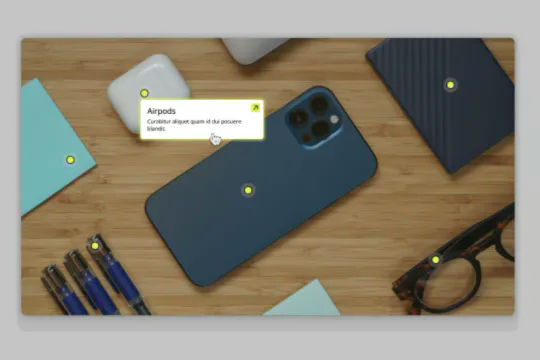
Connect Webflow's native CMS to an image plotter via this cloneable. With this cloneable you can add an image plotter to highlight features, locations, items, product features and much more. The multi-reference highlight items to each main gallery image item using a simple top and left coordinate value to set the specific location of the dots on the image. Each highlight dot also leverages conditional visibility to adjust the position of the tooltip image polotter depending on the location of the dot and whether or not the values were set in CMS.

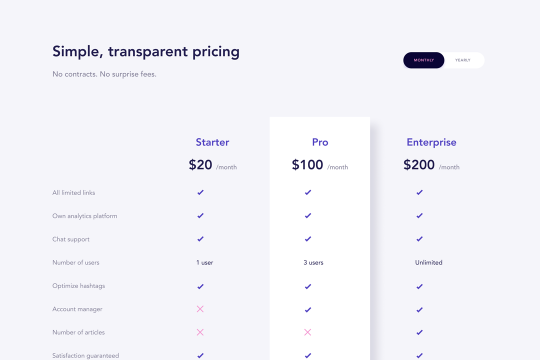
A wonderfully designed pricing comparison table with everything you'd need to showcase and feature a pricing page on your site.

Here's a way to add a custom mouse cursor tooltip in Webflow. This custom tooltip fades in when hovering over an element and follows the mouse pointer over that element. This could be used for project title information, additional/next slider information and much more. A majority of this is created with Webflow interactions. Please note that there is some custom style CSS in the head section of the page.

A 4 column pricing table cloneable design featuring a bump effect for a primary package in Webflow. This beautiful pricing table includes features, package names, pricing info, and a 3D bump effect for the primary package that you'd like to put emphasis on.

Here's a dynamic pricing table that updates the pricing and currency symbols based on the selected currency in Webflow. A great way to show different pricing based on the currency selection of your users.

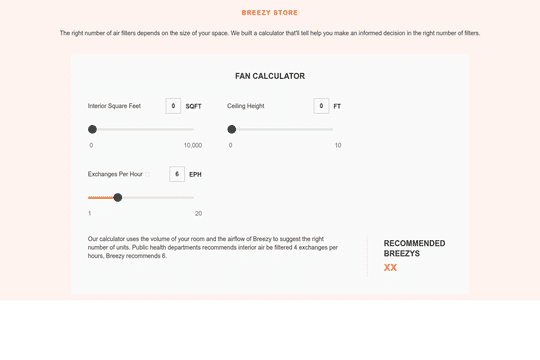
Here's a way to bulid a pricing calculator based on multiple slider inputs to get an estimate/quote for your clients. This is accomplished using the native Webflow slider element and a bit of CSS to style the controls. Values are updated by the sliders as well as by entering in a number within the top input fields. This is perfect for custom pricing and quotes needed on a pricing page.

A 100% native Webflow tooltips solution. Most tooltips utilize third party JS libraries to add tool tips to Webflow. These tooltips are created 100% with Webflow dropdowns to create a unique solution to creating tooltips within Webflow.

DRAG
Real-time sorting by

An FAQ accordion for Webflow that includes all of the Webflow interactions to make it work. This accordion offers a simple design and is fully responsive with prebuilt interactions to make the magic happen.

A well designed starter dropdown navigation menu with hover over for Webflow. This consists of clear class names, 100% native interactions and basic dropdown triggers. It's also mobile friendly and responsive design.

A wonderfully designed pricing comparison table with everything you'd need to showcase and feature a pricing page on your site.

Here's a beautifully designed rotating testimonial slider in Webflow. A great way to build trust with your prospective clients. This testimonial component will auto slide between your testimonials with a smooth transitioning effect.

Power up your Webflow tabs through a timed, auto-rotating tabs feature. This is perfect to add emphasis to your Webflow tabs and more specifically demos, explainers, testimonials and just about everything else you can think of. This is a super simple script that adds auto rotation to Webflows native tabs.

Want to add smooth scrolling to your Webflow site? With this cloneable you'll be able to add smooth scrolling via luxy.js. Adding smooth scrolling doesn't need to be complicated and there are plenty of options to achieve this inertia type scroll effect although Luxy.js provides a great way to achieve this.

Here's a way to create a multi-step Webflow form that includes a step counter, custom confirmation animations and custom checkboxes. A perfect way to filter leads, create long forms that are filled out, and segment your lists/clients.

Here's a way of adding a unique, full screen image transition to your Webflow site via Three.js Each image loads a unique transition upon clicking them and turns the images full screen upon click.

DRAG
Real-time sorting by