CSS Marquees Vertical Horizontal

Try the cloneable below

Cloneable tags

Description

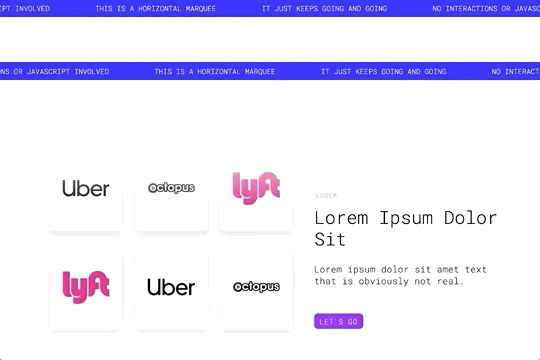
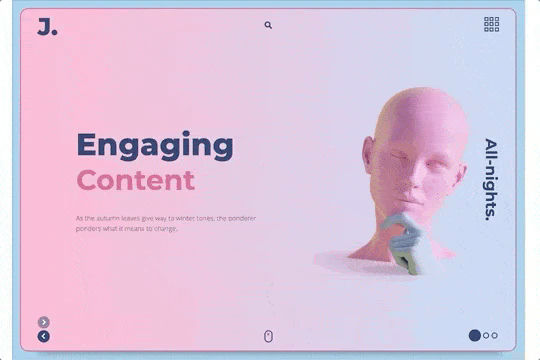
The CSS Marquees Vertical Horizontal is a simple and easy-to-use technique for adding scrolling marquees to your Webflow site using just CSS, without the need for any confusing interactions or complicated JavaScript solutions. This cloneable, which was created by Josh Jacobs, is available in Webflow and is categorized under the Marquee, Scroll, Interactions, Animation, and CSS categories. To use this technique, you must have an even number of elements within your marquees, as this is necessary for them to function properly and not skip around. The CSS for each marquee is included inside of the container and is denoted with an emoji, making it easy to customize and adjust the marquees to suit your needs. The CSS Marquees Vertical Horizontal is a great way to add some dynamic and visually appealing elements to your website and is easy to implement in your Webflow project.

A fun way of adding a water mouse hover ripple effect to your Webflow site. Simply add a tiny code and the javascript library and you're all set.

A fun way of changing the gradient background color via mouse in Webflow. Please note this will not work in Firefox. This is a native Webflow interaction and just a single line of CSS code. The CSS controls the pointer events to none while the interactions control the location of the blur and it's surrounding effects.

A huge selection of premade Webflow animations, including animated buttons, click buttons, circular hover buttons, scroll down animations, nav link animations, tab animations, search bars, social media buttons, text animations, contact cards, blog cards, product cards and more.

Here's a beautiful WebGL colorful background animation on page load. A great way to add extra color and a dynamic element to your Webflow site.

A unique stacking cards on scroll interaction in Webflow. When you scroll down the page the cards on the right side stack on top of each other. A unique interaction perfect for a SaaS or technology site. The stacking cards effect was built entirely using Webflow interactions and does not require any additional code or scripts. The effect is created by using the While scrolling into view trigger, with the use of Scale and Filter. The filter applied reduces the overall brightness of the card and the scaling is used to send the item back smaller. Overall a well designed and thought out solution for a stacking card interaction.

A method to highlight text on page scroll in Webflow. A unique a fun interaction in which the text on the page begins to highlight as you scroll down the page. Each letter even partially highlights depending on where you've scrolled on the page. This effect uses GSAP and Scrolltrigger.js to create the effect. You'll need to add the custom code found on page settings for this to work properly.

A two colored spiral galaxy animation for Webflow created with Three.js. This spiral galaxy spins in the background of your Webflow site and offers zoom in/zoom out functionality by the scroll wheel on your mouse.

Add a liquid metal background animation to your Webflow site via WebGL. Please note that this example relies heavily on scripts and custom code so you'll need to add the custom code found within the page settings.

DRAG
Real-time sorting by

Here's a way of adding a circular text with movement effect to Webflow via circulartype.js. Unfortunately the sizing is a little weird and doesn't work properly, although it does work. This includes an interaction for page load, scrolling through sections ad for page transitions.

No javascript, no interactions, easy CSS scrolling marquees for your Webflow site. This is the easiest way to add marquees to your Webflow site without ANY confusing interactions or complicated JS solutions. Please note that you must have an even number of elements within your marquees for them to function properly and not skip around. The CSS for each marquee is included inside of the container and denoted with an emoji.

A creative, yet difficult to implement variation of Webflow accordions that utilizes a combination of position sticky, CSS Grid and the power of mix-blend-mode to create the powerful overlays. This is primarily no-code but does include bits of JS to achieve the link jumps and another one to reset the scroll position when the item has been closed. A few notes is that this doesn't work well in Safari and adding new items means that you need to add more JS in the page settings. Jump links are positioned to absolute elements within each dropdown, so you'll need to add new ones with new IDs for those to work. The interaction animations are really well done, when a user opens and expands an accordion item the title pops to the top of the page and the content comes in from the bottom. It also allows the user to bounce around various sections of each accordion item as previously mentioned.

Here's a simple way to create tall horizontal accordions within Webflow. This is implemented using interactions, some custom CSS properties for the vertical text, and a touch of magic. There is a lot of math involved with this implementation and will need to be modified if you want to remove or add any accordions.

A fully dynamic hero slider that's responsive and includes a vertical slider that switches out the primary heros image. This was built entirely with Webflow, some CSS and Webflow's native interactions. At the top you'll notice a horizontal marquee, this is powered by custom CSS which you'll find via an HTML embed. You'll also notice an extensive use of Webflow native sliders and a variety of individual interactions for each slide change associated with each and every slider. A very extensive use of Webflow sliders and interactions. This hero slider does not use custom code within the page settings so you'll want to dive into the HTML embed and then the Webflow interactions which make this entire thing possible.

An amazing, sweeping slider interaction perfect for any Webflow site. The interactions have a custom scroll indicator, automatically transitions slides and provides a unique sweeping transition between slides. Perfect for a hero or landing page in Webflow.

A very complicated, and advanced cloneable featuring hover effects for a portfolio site. This demo includes a custom, animated cursor, hover effects that change images/divs, text clipping that fills text based on the cursor location. A great example of how Webflow can create a number of different effects, all at the same time. All of this is driven via Webflow's native CMS.

DRAG
Real-time sorting by