





Cloneable tags
Description
Looking to add a stylish, eye-catching marquee effect to your website? Look no further than this CSS Infinite Marquee Hover Pause Webflow Cloneable! Created by Marcin Rzymek, this cloneable offers an infinite marquee effect with hover pause capabilities, all easily adjustable via a simple CSS embed. With this cloneable, you can add a professional touch to your site without any added JavaScript, making it a perfect choice for any designer or developer looking for easy, flexible control over their marquee effects.
Related cloneables



A fun way of adding a water mouse hover ripple effect to your Webflow site. Simply add a tiny code and the javascript library and you're all set.


A fun way of changing the gradient background color via mouse in Webflow. Please note this will not work in Firefox. This is a native Webflow interaction and just a single line of CSS code. The CSS controls the pointer events to none while the interactions control the location of the blur and it's surrounding effects.


A huge selection of premade Webflow animations, including animated buttons, click buttons, circular hover buttons, scroll down animations, nav link animations, tab animations, search bars, social media buttons, text animations, contact cards, blog cards, product cards and more.


An exploding text particles animation using Three.js in Webflow. A good demonstration of how to add Three.js to your Webflow site. In this cloneable the text begins to morph and explode as you move the cursor over it. Please note that this uses custom code found in the head and closing body tags of the page settings.


A fun login and sign up page for Webflow featuring a unique cartoon character that follows your mouse cursor. This is accomplished via 100% native Webflow interactions. The SVG was broken up into several parts, and added a hover over element interaction to the background and hover/in out interactions to the email, password and login fields. The rotating head effect is created by moving close-up elements slightly more than the background elements. For example, the nose moves 11px to the left or right, while the mouth only moves 9px and the face moves 6px while the body doesn't move at all.

A fun GSAP text hover image span effect created for Webflow. When hovering over a specific text or link, images appear on the screen. Perfect for dynamic and playful interactions powered by GSAP. This script is powered by GSAP and you can find the custom code found in the page settings. This allows you to signify images that appear when a user hovers over a native Webflow text span item. This is also mobile friendly as the code allows you to set media resolution settings and customizing the effect on the non-selected text span. You are able to customize the easing, zindex position, colors and much more.

Not just another vertical CMS marquee, this one is powered by GSAP and provides extra functionality. The vertical marquee provides a constant infinite loop of text. As the word comes into view a second text area updates to showcase the relevant text for the primary looping marquee text. A great example of utilizing GSAP to add increased functionality to an otherwise normal marquee. This also utilizes a bit of CSS so be sure to not overlook that when you are adding this to your site. You can customize the script to your liking and increase or decrease the number of items visible and the speed of the looping.

Supercharged marquees powered by GSAP. These unlock a whole new level of customization to your marquees via GSAP. The first example showcases two marquees, both on different z-indexes with an image in between both of them so that one marquee is in front of the image and the other is behind it. The next marquee provides a unique vertical marquee that speeds up or slows down as you scroll it into view. The third and final marquee is a horizontal marquee that does the same as the second. As you scroll this marquee into view it speeds up the marquee while the page is scrolling. As mentioned these demos rely upon GSAP and Scrolltrigger to function properly and provide the functionality. You can customize the code from within the custom code page settings.

More from author
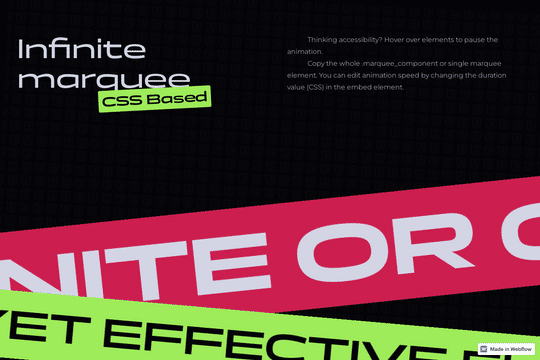
A simple yet effective CSS infinite marquee for Webflow featuring hover pause capabilities. Easily adjust the animation duration via the embed element with CSS. While you could create the marquee effect with Webflow's native interactions this allows you to bypass added JS through a simple CSS embed allowing for greater control over the marquee via this CSS script.