Variable Text Size Based on Mouse

Try the cloneable below

Cloneable tags

Description

In this example, you will see a methodology to create a variable font based on the mouse movement on a Webflow site. This Variable Text Size Based on Mouse cloneable was created by ThreeSixtyEight and is classified under the categories of Text Effects, Mouse, Animation, CSS, JavaScript, and Custom Code. It relies on custom CSS and JS to work, which can be found in the HTML embed of the site. This is a good demonstration of how to create dynamic variable fonts in Webflow. If you want to create a unique and interactive way to change the size of your text based on the movement of the mouse cursor, be sure to check out this Variable Text Size Based on Mouse example and see how it was done. It is a valuable resource for learning how to use custom CSS and JS to create dynamic and visually striking text effects for your website.

A fun way of adding a water mouse hover ripple effect to your Webflow site. Simply add a tiny code and the javascript library and you're all set.

A fun way of changing the gradient background color via mouse in Webflow. Please note this will not work in Firefox. This is a native Webflow interaction and just a single line of CSS code. The CSS controls the pointer events to none while the interactions control the location of the blur and it's surrounding effects.

A huge selection of premade Webflow animations, including animated buttons, click buttons, circular hover buttons, scroll down animations, nav link animations, tab animations, search bars, social media buttons, text animations, contact cards, blog cards, product cards and more.

Here's a beautiful WebGL colorful background animation on page load. A great way to add extra color and a dynamic element to your Webflow site.

Ever wanted to add an infinite text rotation/changer to your Webflow site? This infinite text rotation technique allows you to have a long list of words that rotate in from bottom to the top and then repeat endlessly. This includes an infinite loop version and a finite version that only runs once. This is fully responsive and easy to customize.

A method to highlight text on page scroll in Webflow. A unique a fun interaction in which the text on the page begins to highlight as you scroll down the page. Each letter even partially highlights depending on where you've scrolled on the page. This effect uses GSAP and Scrolltrigger.js to create the effect. You'll need to add the custom code found on page settings for this to work properly.

A two colored spiral galaxy animation for Webflow created with Three.js. This spiral galaxy spins in the background of your Webflow site and offers zoom in/zoom out functionality by the scroll wheel on your mouse.

Add a liquid metal background animation to your Webflow site via WebGL. Please note that this example relies heavily on scripts and custom code so you'll need to add the custom code found within the page settings.

DRAG
Real-time sorting by

A unique way of using a CMS to create an interactive responsive map. You can watch the full tutorial here: https://www.youtube.com/watch?v=VqSEvzzLoVQ

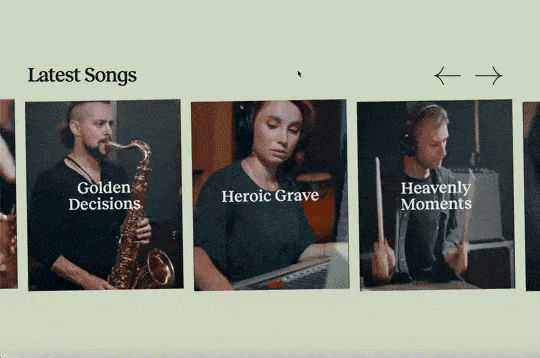
A unique way of adding a CMS driven draggable slider to Webflow with background videos playing on hover.

A methodology to create a variable font based on the mouse movement on a Webflow site. This technique relies on custom CSS and JS for this to work which can be found in the HTML embed of the site. A good demonstration of creating dynamic variable fonts in Webflow.

DRAG
Real-time sorting by