The CMS Video Background cloneable is a great tool for adding a dynamic and visually engaging element to your Webflow site. By using Webflow's native CMS system, you can easily add and manage video backgrounds that will fit the entire container of your site. This cloneable supports both Webflow's own compressions, as well as mp4 and webm, so you have a variety of options to choose from. Additionally, the background videos are loaded via lazyload, meaning they will only load on scroll, improving the overall performance of your site. Overall, the CMS Video Background cloneable is a powerful and convenient way to add a unique touch to your Webflow site.

A fun way of changing the gradient background color via mouse in Webflow. Please note this will not work in Firefox. This is a native Webflow interaction and just a single line of CSS code. The CSS controls the pointer events to none while the interactions control the location of the blur and it's surrounding effects.
Here's a beautiful WebGL colorful background animation on page load. A great way to add extra color and a dynamic element to your Webflow site.
A two colored spiral galaxy animation for Webflow created with Three.js. This spiral galaxy spins in the background of your Webflow site and offers zoom in/zoom out functionality by the scroll wheel on your mouse.
Add a liquid metal background animation to your Webflow site via WebGL. Please note that this example relies heavily on scripts and custom code so you'll need to add the custom code found within the page settings.
A beautiful Swiper.js overlapping cards slider built for Webflow. This Swiper.js slider is perfect for a hero section or features section of a site. When a user navigates between slides the top card is removed and the next card in line comes into view. The cards are stacked with various offsets so it looks like playing cards. There are text transitions for each text associated with the slide. This slider was created using Swiper.js and utilizes Webflow's native CMS collections. This allows you to dynamically generate slides based on the collection list items. This requires custom code so be sure to look at the pages custom code for the Swiper.js code. You can modify the Swiper.js code to include grabcursor, looping, and utilizing arrows to navigate between slides.
Add a progress bar to your draggable CMS slider sections in Webflow. Typically most draggable, or third party sliders, don't offer a progress bar indicator. Using the power of Dragdealer.js you can now add a progress bar and draggable CMS slider to your Webflow site. Please note that you'll need to add the global styles HTML embed as well as the custom script found in the closing body tag within the Page settings for this to work properly.
Here's a demonstration of using three.js for the background of your Webflow site.
A liquid 3D mesh net with gradients and transitions engulfs the background of your Webflow site. Inside there are shaders and code found in the page. You can adjust the values to customize the effects of this liquid 3D mesh design.
Here's a way to use CMS video backgrounds with Webflow that fit the entire container. This works with Webflow's own compressions, as well as mp4 and webm. The background videos are via lazyload and will only load on scroll.
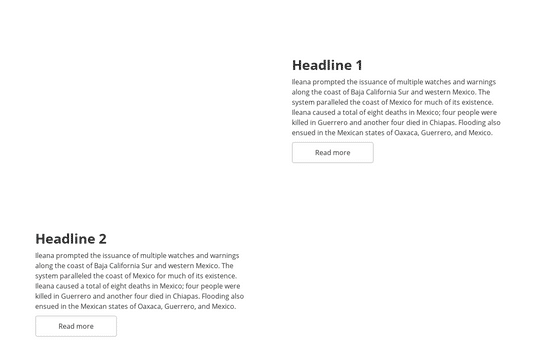
For a CMS collection making alternative grid items isn't possible natively, unfortunately. However using a unique technique you can accomplish this. The first line of code forces every second item to go from right to left. The second line then forces the text wrapper to always be on the left so that our text doesn't get messed up. Browsers support this method fine. Check out the custom CSS code to accomplish this technique.
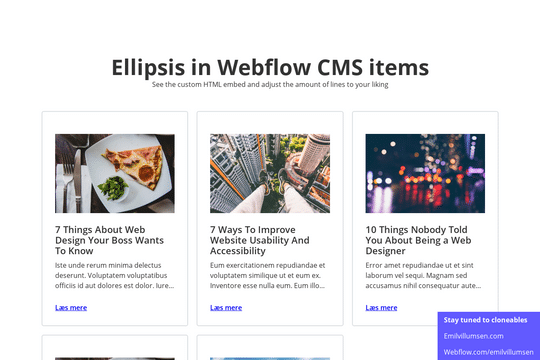
Here's a way of creating a text/content limit for how many lines of text that you'd like a paragraph of text to display. This allows you to have artificial limits to limit clients or keep design elements similar. Refer to the HTML embed code to achieve this and adjust the code according to your needs.
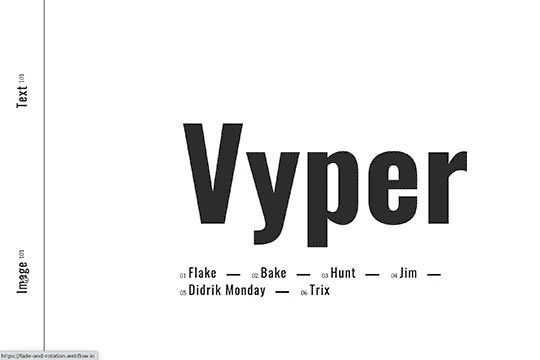
Here's a fade and rotate page transition for your Webflow site. This transition occurs using a small snippet of custom code that allows the transition to happen.
A unique, staggered page transition that's created via. custom piece of code that allows the page transition to happen in Webflow.
Here's a way to highlight text or categories of like and similar nature by hover over. This is a great way to add emphasis to certain items on your site/page by simply hovering over a category or text item. This could be extended for CMS items as well and your own collections.