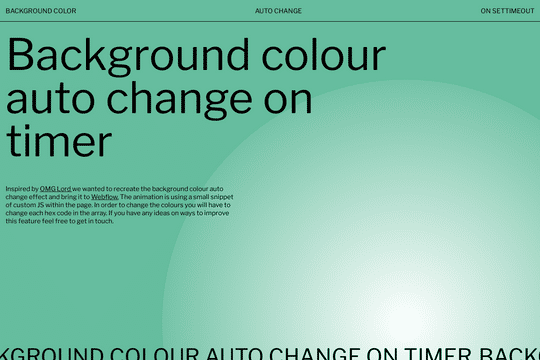
Background Color Change on Timer

Try the cloneable below

Cloneable tags

Description

The Background Color Change on Timer is a dynamic and visually appealing feature for Webflow sites that allows you to automatically change the background color based on a timed interval of your choosing. This animation uses a small snippet of JS within each page, and can be easily customized by changing the hex code in the array. The Background Color Change on Timer is an excellent way to add some variety and interest to your website's design, and can be used to create a variety of different effects. It is classified under the categories of Background and Animation, and was created by Build Web Studio. Whether you're looking to create a playful and dynamic look for your website, or simply want to add some visual interest to your site, the Background Color Change on Timer is a great resource for adding an animated element to your Webflow site.

A fun way of adding a water mouse hover ripple effect to your Webflow site. Simply add a tiny code and the javascript library and you're all set.

A fun way of changing the gradient background color via mouse in Webflow. Please note this will not work in Firefox. This is a native Webflow interaction and just a single line of CSS code. The CSS controls the pointer events to none while the interactions control the location of the blur and it's surrounding effects.

A huge selection of premade Webflow animations, including animated buttons, click buttons, circular hover buttons, scroll down animations, nav link animations, tab animations, search bars, social media buttons, text animations, contact cards, blog cards, product cards and more.

Here's a beautiful WebGL colorful background animation on page load. A great way to add extra color and a dynamic element to your Webflow site.

A two colored spiral galaxy animation for Webflow created with Three.js. This spiral galaxy spins in the background of your Webflow site and offers zoom in/zoom out functionality by the scroll wheel on your mouse.

Add a liquid metal background animation to your Webflow site via WebGL. Please note that this example relies heavily on scripts and custom code so you'll need to add the custom code found within the page settings.

Here's a demonstration of using three.js for the background of your Webflow site.

A liquid 3D mesh net with gradients and transitions engulfs the background of your Webflow site. Inside there are shaders and code found in the page. You can adjust the values to customize the effects of this liquid 3D mesh design.

DRAG
Real-time sorting by

An amazing background color changing on timer for Webflow. The background color changes automatically based on a timed interval of your choosing. The animation uses a small snippet of JS within each page. In order to change the colors you will have to change the hex code in the array.

DRAG
Real-time sorting by