Two Package Pricing Comparison

Try the cloneable below

Cloneable tags

Description

The Two Package Pricing Comparison is a visually appealing pricing component that includes a pricing comparison table for showcasing two different pricing packages. This cloneable, which was created by Flowbase, is available in Webflow and is categorized under the Pricing category. The Two Package Pricing Comparison is ideal for websites that offer multiple pricing packages to clients and need to feature a comparison table. This technique allows you to clearly and concisely present the features and benefits of each pricing package, making it easier for potential customers to choose the right option for their needs. The Two Package Pricing Comparison is easy to implement in your Webflow project and is a great way to showcase your pricing options in a professional and organized manner.

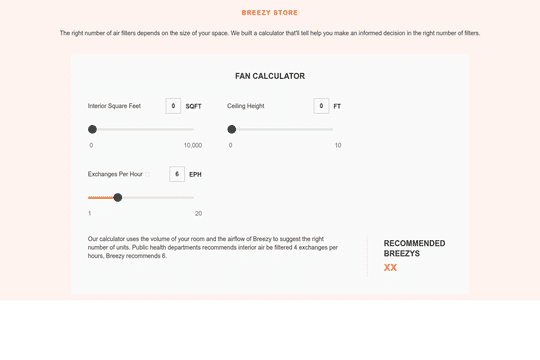
A unique slider pricing calculator that updates the pricing table based on the slider options in Webflow. This is a great way to customize your pricing page tailored to the users unique features that dictate your pricing for your Webflow site and service.

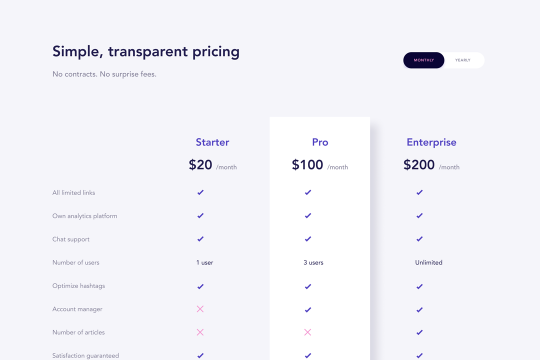
A wonderfully designed pricing comparison table with everything you'd need to showcase and feature a pricing page on your site.

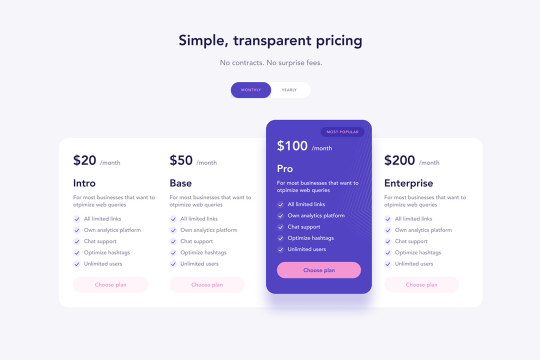
A 4 column pricing table cloneable design featuring a bump effect for a primary package in Webflow. This beautiful pricing table includes features, package names, pricing info, and a 3D bump effect for the primary package that you'd like to put emphasis on.

Here's a dynamic pricing table that updates the pricing and currency symbols based on the selected currency in Webflow. A great way to show different pricing based on the currency selection of your users.

Here's a way to bulid a pricing calculator based on multiple slider inputs to get an estimate/quote for your clients. This is accomplished using the native Webflow slider element and a bit of CSS to style the controls. Values are updated by the sliders as well as by entering in a number within the top input fields. This is perfect for custom pricing and quotes needed on a pricing page.

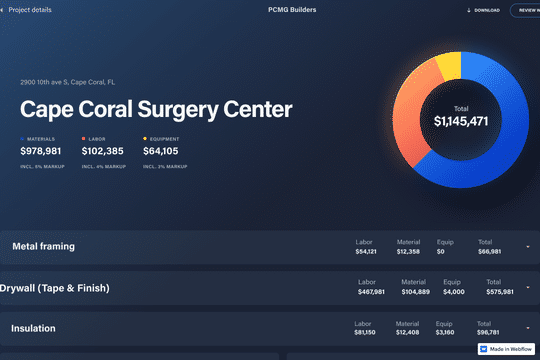
A beautifully designed estimate, investment portfolio, quote page in Webflow. Perfect for an investment portfolio/funds, or anything requiring detailed investment/financial quote structures. With a little bit of work this could be made both responsive and CMS driven, allowing for clients, employees or others to make this for internal sites.

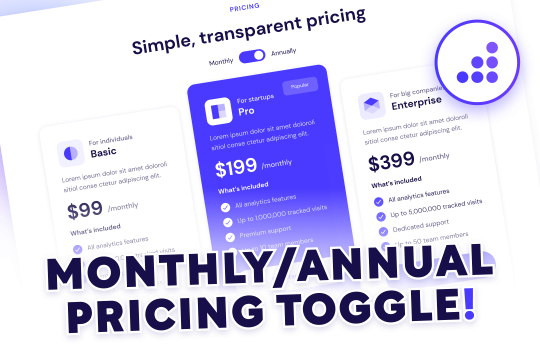
Add a monthly and yearly annual toggle pricing page to your Webflow site. This predesigned pricing table is built with the relevant toggle interactions to add an annual and monthly pricing table to your Webflow project.

A Webflow pricing table component featuring tabs on the side for different pricing packages.

DRAG
Real-time sorting by

An FAQ accordion for Webflow that includes all of the Webflow interactions to make it work. This accordion offers a simple design and is fully responsive with prebuilt interactions to make the magic happen.

A well designed starter dropdown navigation menu with hover over for Webflow. This consists of clear class names, 100% native interactions and basic dropdown triggers. It's also mobile friendly and responsive design.

A wonderfully designed pricing comparison table with everything you'd need to showcase and feature a pricing page on your site.

Here's a beautifully designed rotating testimonial slider in Webflow. A great way to build trust with your prospective clients. This testimonial component will auto slide between your testimonials with a smooth transitioning effect.

Power up your Webflow tabs through a timed, auto-rotating tabs feature. This is perfect to add emphasis to your Webflow tabs and more specifically demos, explainers, testimonials and just about everything else you can think of. This is a super simple script that adds auto rotation to Webflows native tabs.

Want to add smooth scrolling to your Webflow site? With this cloneable you'll be able to add smooth scrolling via luxy.js. Adding smooth scrolling doesn't need to be complicated and there are plenty of options to achieve this inertia type scroll effect although Luxy.js provides a great way to achieve this.

Here's a way to create a multi-step Webflow form that includes a step counter, custom confirmation animations and custom checkboxes. A perfect way to filter leads, create long forms that are filled out, and segment your lists/clients.

Here's a way of adding a unique, full screen image transition to your Webflow site via Three.js Each image loads a unique transition upon clicking them and turns the images full screen upon click.

DRAG
Real-time sorting by