





Cloneable tags
Description
The Scrollify.js Partial Height Sections Webflow cloneable is a useful and interactive tool that allows you to use Scrollify.js to create partial height sections on your website rather than full viewport height sections. This cloneable, created by Kevin Haag, is categorized under Scroll and Scrollify.js and includes a full tutorial that can be viewed at the following link: https://www.youtube.com/watch?v=E0jbNJ6M494&ab_channel=KevinHaag. Whether you want to add some interactive elements to your site or simply want to give your users a different way to navigate your content, the Scrollify.js Partial Height Sections is a great choice. It is a good idea to use this cloneable on your website to improve user experience and add uniqueness to your website.
Related cloneables



A unique stacking cards on scroll interaction in Webflow. When you scroll down the page the cards on the right side stack on top of each other. A unique interaction perfect for a SaaS or technology site. The stacking cards effect was built entirely using Webflow interactions and does not require any additional code or scripts. The effect is created by using the While scrolling into view trigger, with the use of Scale and Filter. The filter applied reduces the overall brightness of the card and the scaling is used to send the item back smaller. Overall a well designed and thought out solution for a stacking card interaction.

A method to highlight text on page scroll in Webflow. A unique a fun interaction in which the text on the page begins to highlight as you scroll down the page. Each letter even partially highlights depending on where you've scrolled on the page. This effect uses GSAP and Scrolltrigger.js to create the effect. You'll need to add the custom code found on page settings for this to work properly.


An animated timeline scrolling effect perfect for about pages, historical pages and many others. As the user scrolls down the page a fun native interaction is applied that allows users to visit historical timelines with a unique Webflow interaction. The current date and item that is in view increases brightness while others out of view are faded out. The user can scroll down the page and have historical information provided in a unique and interactive fashion. This interaction uses while scrolling in view and while page is scrolling page trigger interactions.


Featuring 10 different text and typography scroll effects powered by GSAP, ScrollTrigger, Lenis.js, splitting.imin.js and Scrolltype.js. Keep in mind that these effects are great but you will need to have some understanding of code in order to modify these significantly as they rely on simply the JS libraries and data attributes to apply each effect. The first effect rotates the text and highlights each letter as the paragraph comes into view. This is achieved via the data attributes as mentioned previously. The second text effect showcases each letter coming into view from a different rotation and then all combines together to make the visible text. The third effect has each word come in at different positions from out of view and then into view on page scroll. The third version unwraps each word letter by letter as you scroll down the page. The fourth effect takes each letter and has it fold up at random intervals as you scroll into view. The fifth demonstration shows each letter rotating into place upon scrolling into view. The next demonstration creates a rolling hills effect for the letters as you scroll into view. The next one showcases a paragraph in which each letter is grown from the initial position as you scroll down the page. An appear example follows this one in which each letter of a word appears to be blurry and come into focus as you scroll down the page. The next and final variation has each word come in from random directions to create the paragraph.
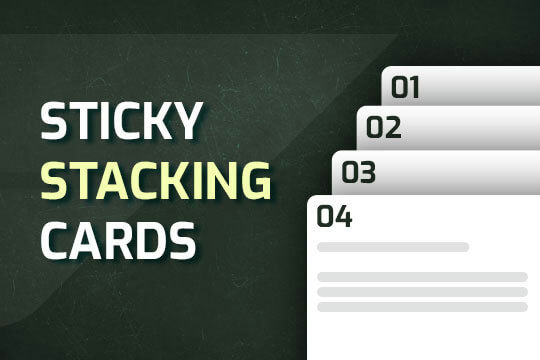

A way of utilizing sticky cards that stack on scroll in Webflow. Using position sticky and a scrolling into view interaction allows for this effect without any custom code.
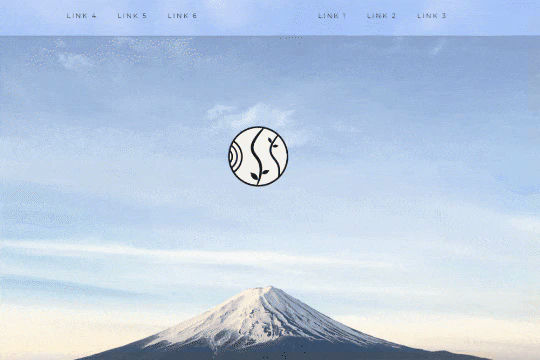

A unique way of showcasing your logo front and center and have it move up on page scroll in Webflow. This adds a fun dynamic element to your Webflow site and draws the users attention in. This interaction was created entirely from Webflow's native interactions using the While page is scrolling functionality and size, move, scale, opacity and more. This requires no additional custom code and can be cloned and setup quickly.

Learn how to implement GSAP ScrollTrigger in Webflow. This tutorial and example cloneable showcases several different Scrolltrigger GSAP effects to turn your Webflow site into a dynamic powerhouse. When loading the page you are presented with a primary image and brand name. As you scroll down the brand moves from the bottom of the page to the top menu while reducing size. Further down the hero section appears and one of the words begins to move behind other text. Further down an image appears and then grows as you scroll further down the page. This shifts into the product section in which images appear with a parralax effect over certain words. This shifts into another product section and the backgrounds transition while the images still float above the text. Each section has a different background color/text color with the images continually scrolling above the text. This utilizes a lot of custom code, and utilizes Webflow's native CMS for products and items found on this page with CSS nth-child. You will need to add the custom code found in Page Settings to get this to work properly. Watch my GSAP Scrolltrigger tutorial for this project at https://www.youtube.com/watch?v=x-BVEhyYW50 Conceptual design for https://www.minimalgoods.co/

Supercharged marquees powered by GSAP. These unlock a whole new level of customization to your marquees via GSAP. The first example showcases two marquees, both on different z-indexes with an image in between both of them so that one marquee is in front of the image and the other is behind it. The next marquee provides a unique vertical marquee that speeds up or slows down as you scroll it into view. The third and final marquee is a horizontal marquee that does the same as the second. As you scroll this marquee into view it speeds up the marquee while the page is scrolling. As mentioned these demos rely upon GSAP and Scrolltrigger to function properly and provide the functionality. You can customize the code from within the custom code page settings.

More from author

A fun way of changing the gradient background color via mouse in Webflow. Please note this will not work in Firefox. This is a native Webflow interaction and just a single line of CSS code. The CSS controls the pointer events to none while the interactions control the location of the blur and it's surrounding effects.

A fun crystal ball hover styled button for Webflow. This was designed entirely with native Webflow interactions and does not use any type of custom code.
Create a seamless page transition for your pages in Webflow. Using just a small snippet of custom code you can allow the page time to complete an exit transition with an intro transition on the new page. Set your links to preload your pages for even faster performance.
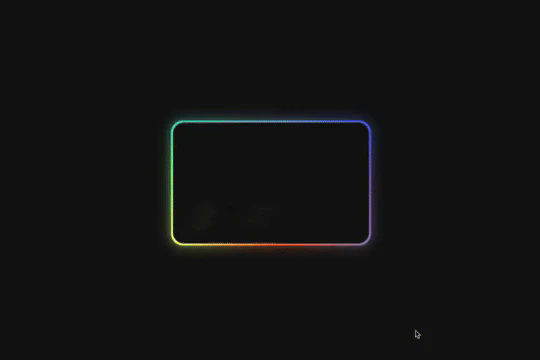
Here's a way of creating a glowing, 3D hover card effect in Webflow. When a user hovers over the card the card creates a 3D effect with a gradient outline, another interaction is added to show a 3D rotating reflection. All of this was created with Webflow interactions and zero custom code.
A fun way of adding a little retro 3D grid animation with overlay scan-lines to your background/site.
A fully native dark-mode toggle button to convert your Webflow site into dark mode or light mode at the switch of a button. This technique utilizes Webflow's native interactions and the Filter, BG color, text color and border color functionality.
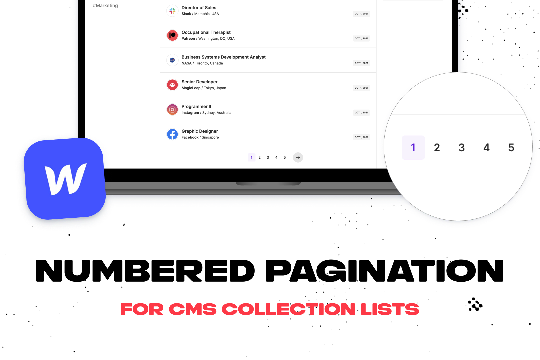
Add numbered paginations to your CMS collection lists via this small custom code snippet.
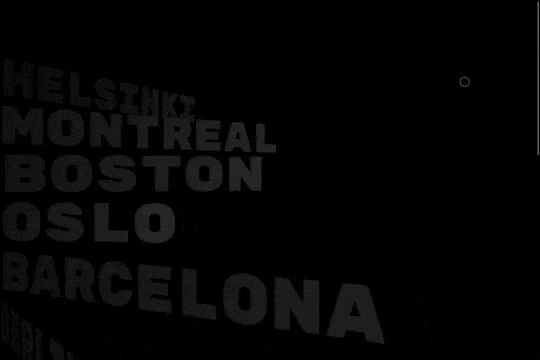
A very cool scrolling spiral menu text effect. Opens up a fun opportunity for a unique full screen menu build.