





Cloneable tags
Description
Add a countdown or launch date timer to your Webflow site with this cloneable. Have an upcoming launch for a product or service? Add a countdown timer via this cloneable and JS snippet. Simply update the JS code with the date and time of your event, match the style and make sure you have the relevant parent element ID and relevant divs setup and you'll have a countdown timer. In this example you can show the days, hours, minutes and seconds till your chosen launch time. This is perfect for any product or service page or events page that has a launch time associated with it.
Related cloneables



A beautiful Swiper.js overlapping cards slider built for Webflow. This Swiper.js slider is perfect for a hero section or features section of a site. When a user navigates between slides the top card is removed and the next card in line comes into view. The cards are stacked with various offsets so it looks like playing cards. There are text transitions for each text associated with the slide. This slider was created using Swiper.js and utilizes Webflow's native CMS collections. This allows you to dynamically generate slides based on the collection list items. This requires custom code so be sure to look at the pages custom code for the Swiper.js code. You can modify the Swiper.js code to include grabcursor, looping, and utilizing arrows to navigate between slides.


Featuring 10 different text and typography scroll effects powered by GSAP, ScrollTrigger, Lenis.js, splitting.imin.js and Scrolltype.js. Keep in mind that these effects are great but you will need to have some understanding of code in order to modify these significantly as they rely on simply the JS libraries and data attributes to apply each effect. The first effect rotates the text and highlights each letter as the paragraph comes into view. This is achieved via the data attributes as mentioned previously. The second text effect showcases each letter coming into view from a different rotation and then all combines together to make the visible text. The third effect has each word come in at different positions from out of view and then into view on page scroll. The third version unwraps each word letter by letter as you scroll down the page. The fourth effect takes each letter and has it fold up at random intervals as you scroll into view. The fifth demonstration shows each letter rotating into place upon scrolling into view. The next demonstration creates a rolling hills effect for the letters as you scroll into view. The next one showcases a paragraph in which each letter is grown from the initial position as you scroll down the page. An appear example follows this one in which each letter of a word appears to be blurry and come into focus as you scroll down the page. The next and final variation has each word come in from random directions to create the paragraph.

A complete Splide.js CMS slider solution for Webflow. Splide.js offers a great solution over Webflow's native slider solution. Lightweight and mobile friendly this slider offers four different designs and implementations, including a Webflow CMS slider solution using Splide.js. This technique does require custom code that you'll find within the page settings, custom code area. Using this solution you can update the number of items per page, the number of items changed per slide, infinite looping, pagination, speed, drag threshold and much more.

Not just another vertical CMS marquee, this one is powered by GSAP and provides extra functionality. The vertical marquee provides a constant infinite loop of text. As the word comes into view a second text area updates to showcase the relevant text for the primary looping marquee text. A great example of utilizing GSAP to add increased functionality to an otherwise normal marquee. This also utilizes a bit of CSS so be sure to not overlook that when you are adding this to your site. You can customize the script to your liking and increase or decrease the number of items visible and the speed of the looping.

A 3D Splide.js CMS draggable slider for Webflow. This 3D draggable slider created with Splide.js allows you to integrate Webflow's native CMS solution with Splide.js to create a dynamic and interactive slider with Webflow. The slider features navigation arrows and the ability to drag between each slide item, perfect for desktop or mobile. There's also a 3D effect with the slides entering and exiting the viewport. The Splide.js slider allows you to customize the number of items per page, per move as well as various break point functionality for mobile responsiveness. You're also able to modify the delay, duration and easing in and out. This example is infinite looping so that there's no beginning or end and the users can navigate endlessly between each individual slide that is powered by Webflow CMS.


A number of different examples of utilizing Countup.js in your Webflow projects. The examples include, currency count up, intervals, scroll and more. The first example loads when the page is loaded, the second example counts up when the item enters viewport, the third item counts up several items at different intervals and finally there's a currency countup that continuously counts up. This requires custom code which you can find in the custom code section of page settings. Each example is commented within the code and allows you to update the target ID as well as the final count number. The second example is the scroll into view option and can be added as shown in the code. There's also a count down example, count up example with a duration and suffix. This is a great cloneable if you plan on adding count up or count down text items to your Webflow site.

Supercharged marquees powered by GSAP. These unlock a whole new level of customization to your marquees via GSAP. The first example showcases two marquees, both on different z-indexes with an image in between both of them so that one marquee is in front of the image and the other is behind it. The next marquee provides a unique vertical marquee that speeds up or slows down as you scroll it into view. The third and final marquee is a horizontal marquee that does the same as the second. As you scroll this marquee into view it speeds up the marquee while the page is scrolling. As mentioned these demos rely upon GSAP and Scrolltrigger to function properly and provide the functionality. You can customize the code from within the custom code page settings.
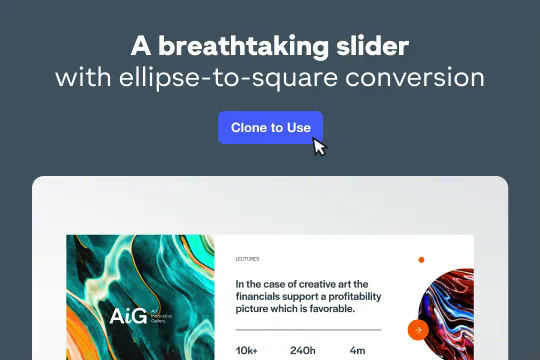

A stunning and easy to implement Swiper.js draggable slider created for Webflow. This slider is completely draggable for both desktop and mobile devices, when the next slide is triggered there's a slide in feature that is powered by Webflow interactions. This makes the next card appear to slide in upon being visible. Swiper.js powers the slider and allows for custom functionality such as speed, looping, breakpoints and much more. Keep in mind that this utilizes data attributes to work properly so you will need to update each slides data attributes in order for the Swiper.js functionality to work properly.

More from author
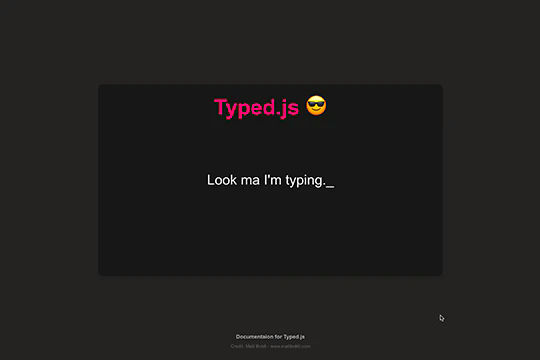
Add a typewriter effect to your Webflow site via this Typed.js example. This cloneable showcases the ability to add typed words that appear and then appear to be deleted between each word. The effect utilizes Typed.js and some custom CSS. You can customize the Typed.js typing effect by updating the words, the typespeed, the backspeed, the backdelay, the startdelay, looping, cursor and more all within the custom code found within the page settings. Typed.js has been popular for some time and this cloneable will help you understand how to implement it on your next Webflow project.

A smooth and easy to implement jQuery accordion for Webflow. This accordion was built using jQuery rather than manually creating all of the interactions in Webflow. This is perfect if you don't want to mess around with Webflow interactions or aren't comfortable with using interactions. You'll find the custom jQuery code for this accordion within the custom code in the page settings. In this jQuery code you signify the speed of opening the accordion, close all other accordions if another one is opened, activate scroll to top for active item, the offset of that scroll and the delay before being moved to that item. You'll then update your class names based on if you updated them in your designs. Overall this is a clean and easy to use jQuery animated accordion if you aren't someone that wants to utilize Webflow interactions.
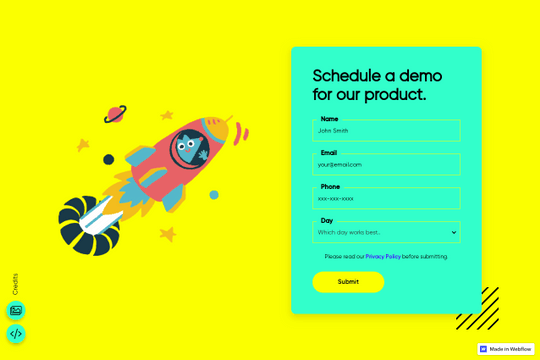
Here's a way to customize the select drop down field via nice select jQuery plugin. This allows you to customize the dropdown field style and design in your Webflow site. The customization process was made simple. In the navigator you will see a custom code element called style-settings. Open that up and you'll see different options for color and spacing. Comments are used so that you know what does what. Simply copy and paste your own color and spacing values. Finally you need to initiate the script code located in page settings under custom code. You can also grab the style code in custom code settings so that it translates across your entire site if you happen to use this site wide.
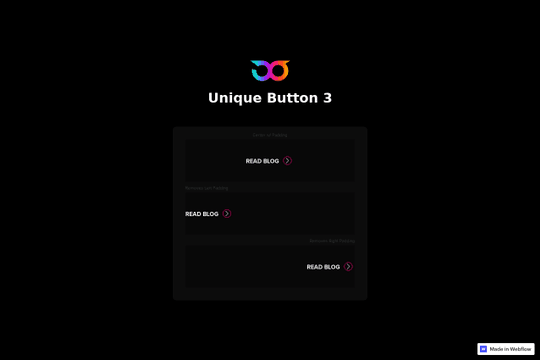
Another unique button animation for Webflow. When a user hovers over the button the text color changes and the arrow icon animates via native Webflow interactions.

Add a countdown or launch date timer to your Webflow site with this cloneable. Have an upcoming launch for a product or service? Add a countdown timer via this cloneable and JS snippet. Simply update the JS code with the date and time of your event, match the style and make sure you have the relevant parent element ID and relevant divs setup and you'll have a countdown timer. In this example you can show the days, hours, minutes and seconds till your chosen launch time. This is perfect for any product or service page or events page that has a launch time associated with it.
A simple and clean example of copy to clipboard functionality via a simple jQuery code. This example also provides a tutorial of how to add this to your Webflow site. This is perfect for creating any type of copy to click text to make it easy for your users to copy and paste any information you like.
